Integration instructions
Join Facebook page
To connect to the Facebook page, please follow these steps:
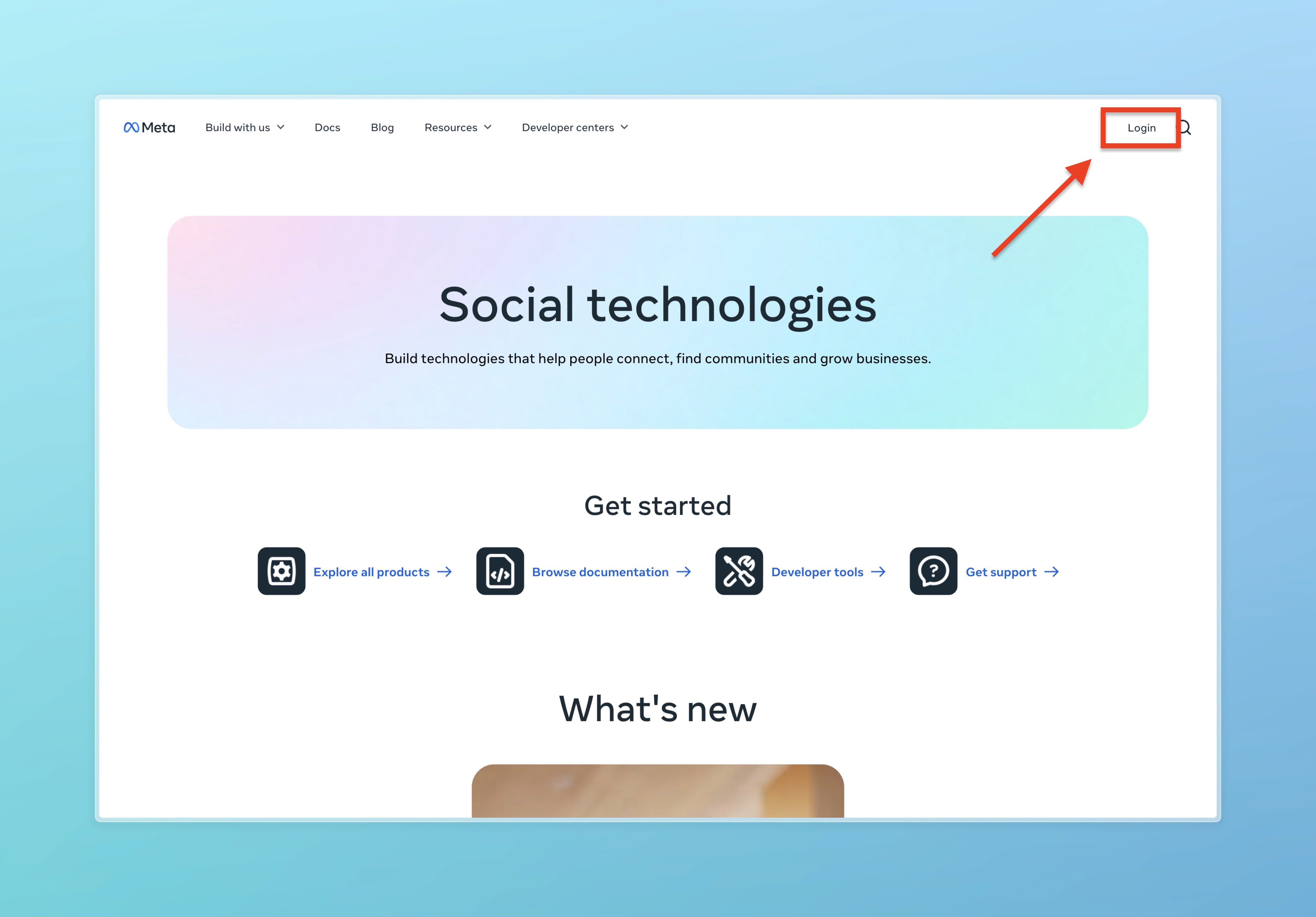
1. Go to the link (https://developers.facebook.com/) and click on Login (if you are already logged in, click on My Apps).
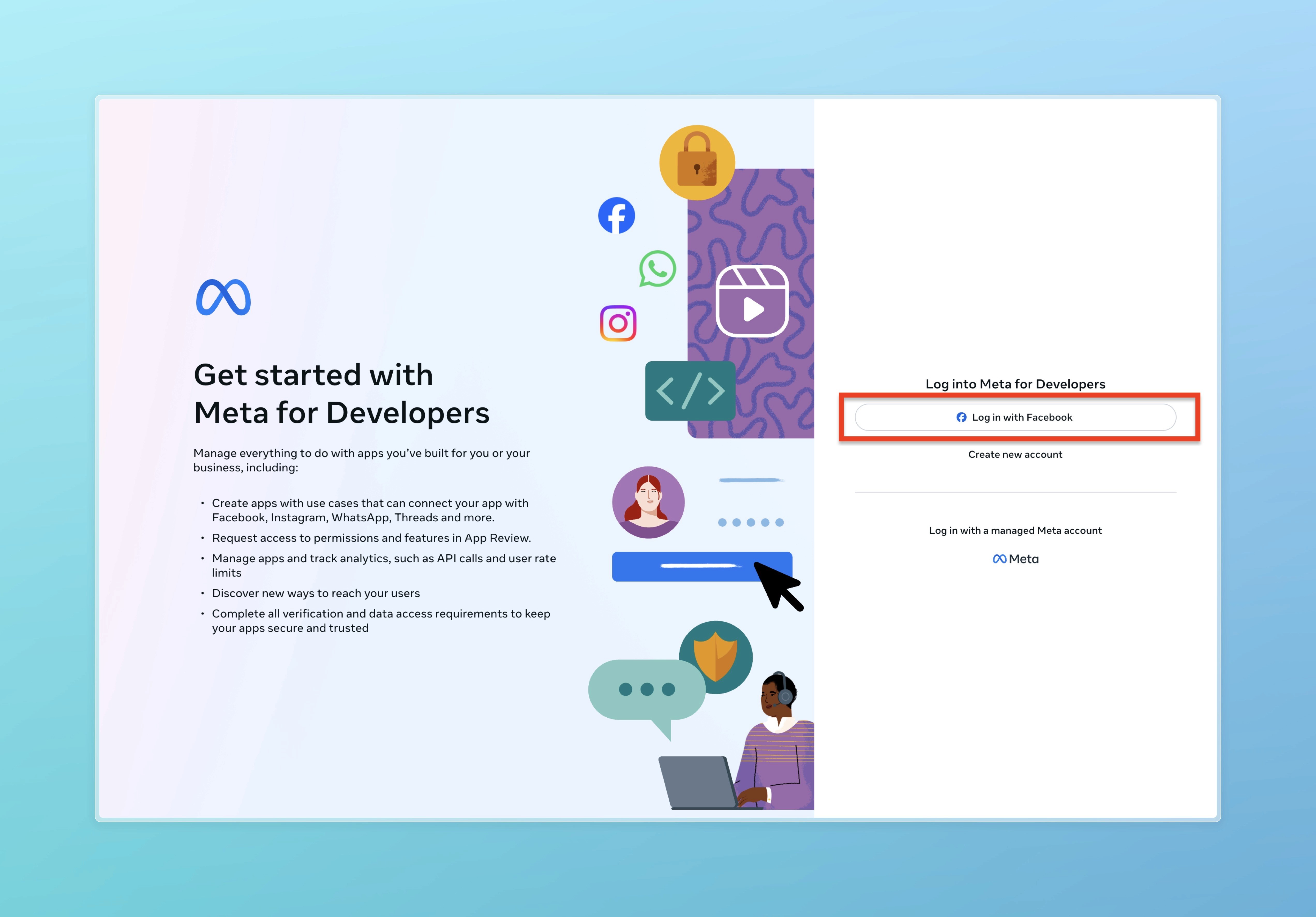
Click "Log in with Facebook" and enter the Facebook account linked to the page.
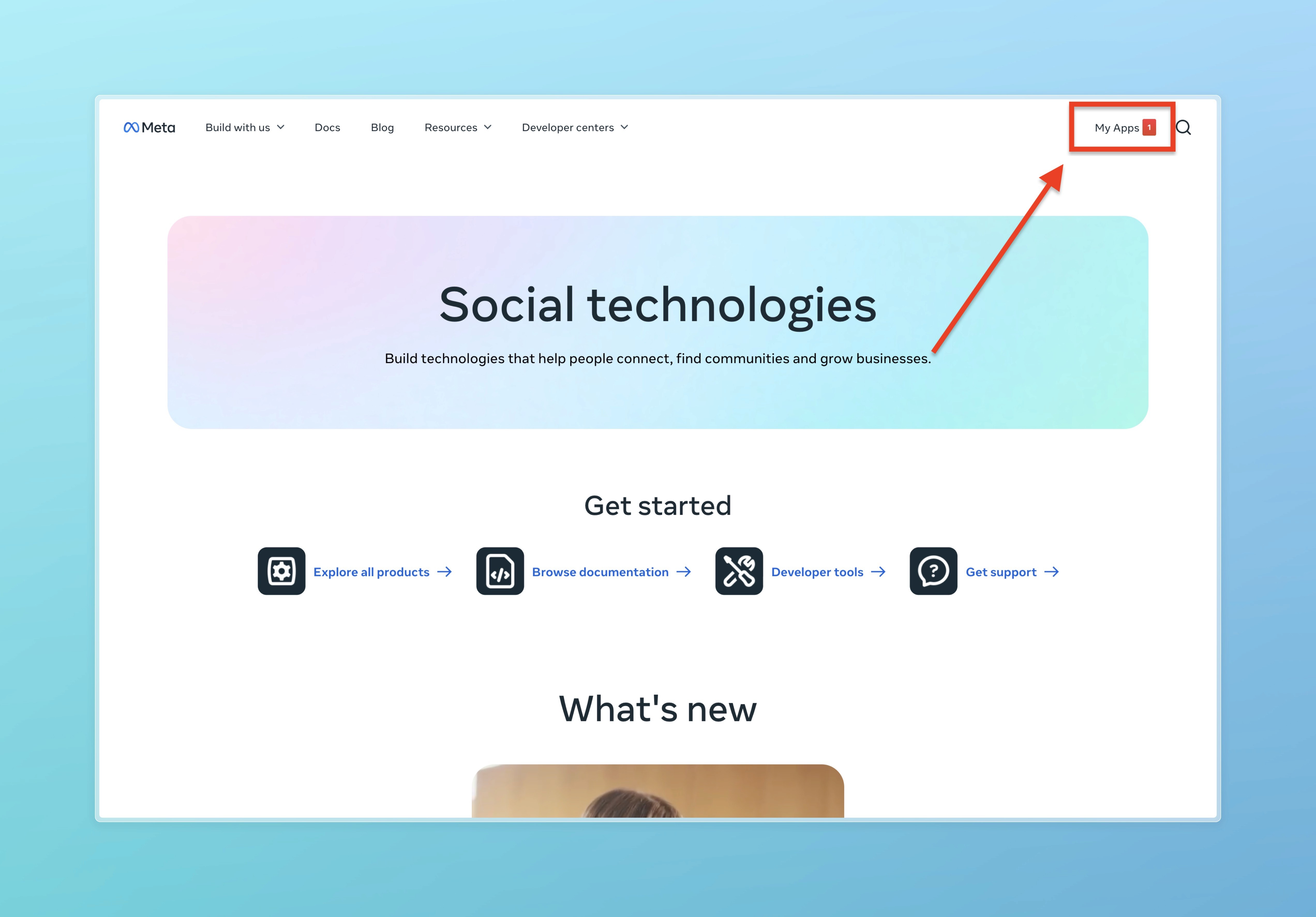
After logging in, you will return to the following link: https://developers.facebook.com/ after which click on My Apps.
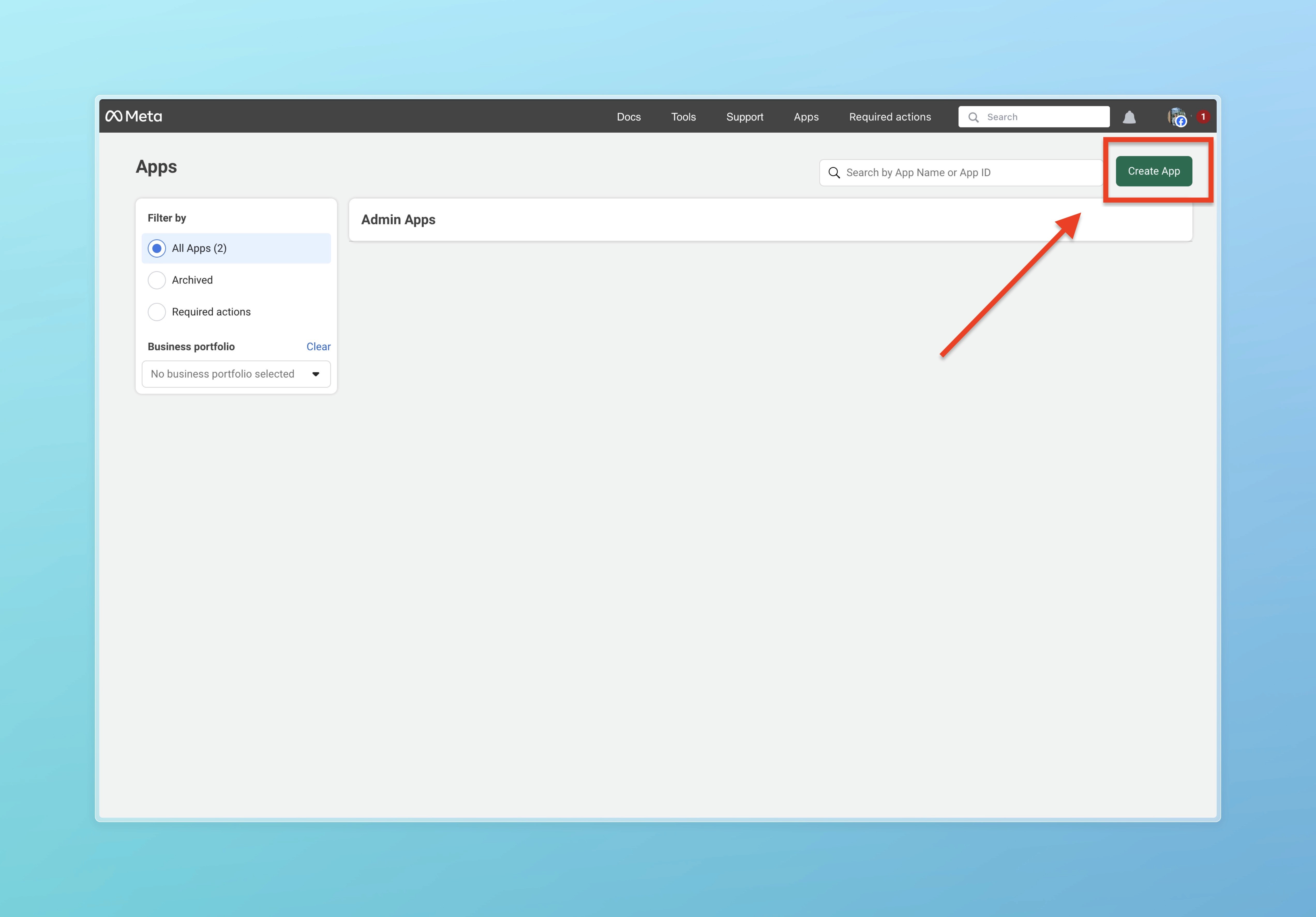
Next, you will land on this link: https://developers.facebook.com/apps/. Here, click on Create App.
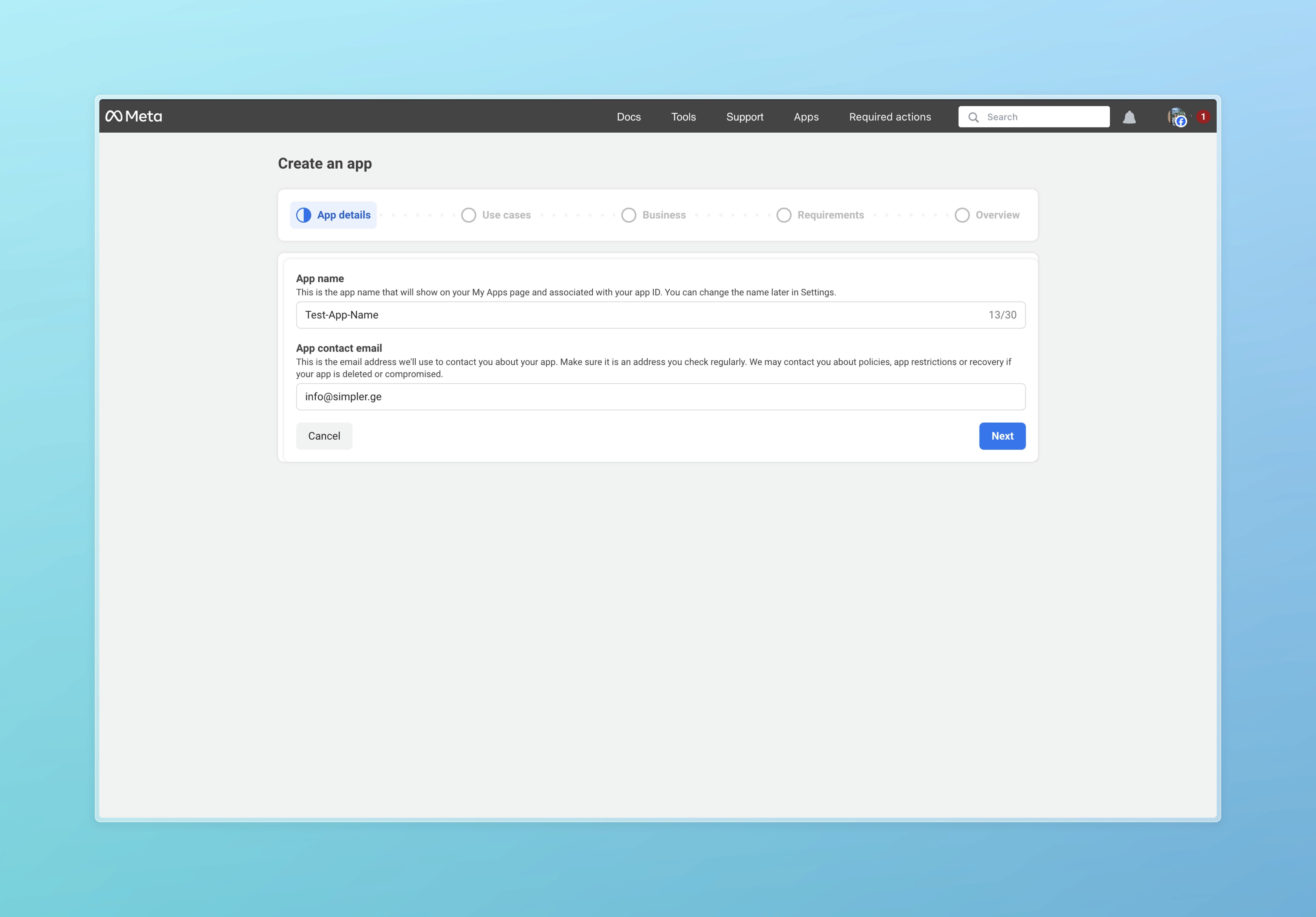
Next, enter the name of the app: your-company-name-simpler. Also enter your contact email and click Next.
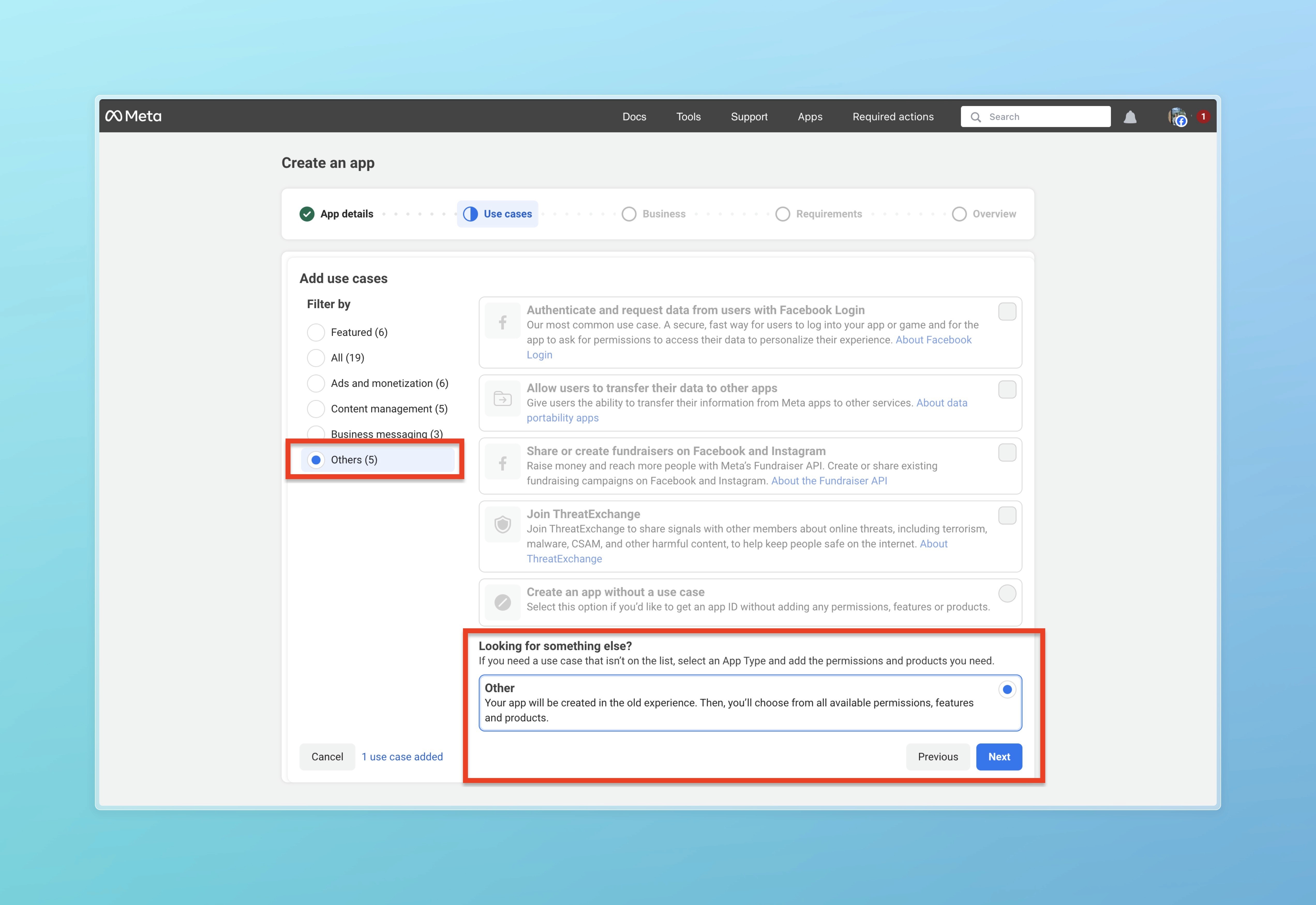
On the Use Cases page, click on "Others" in the filters and select "Other". Then click Next.
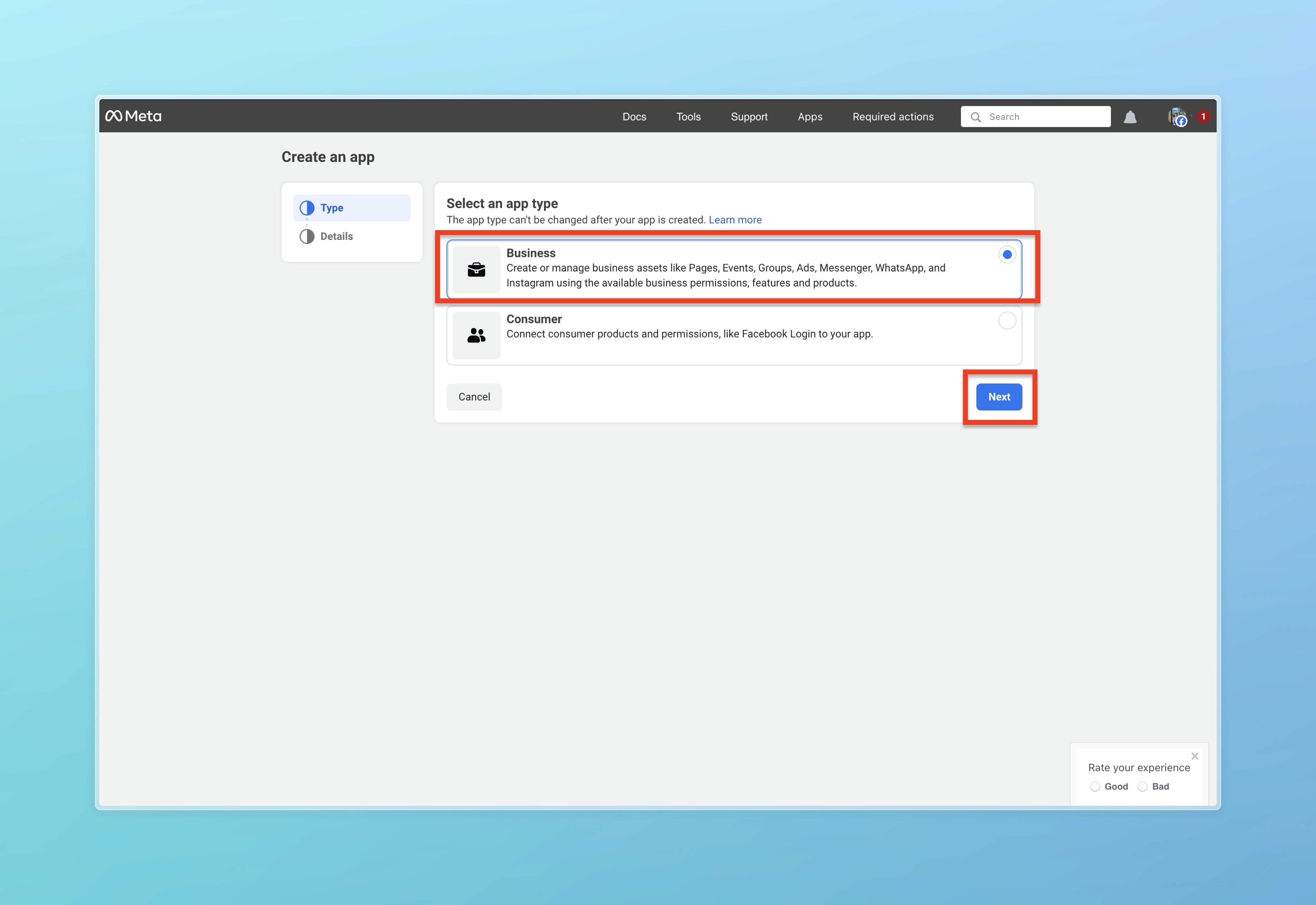
Select Business here and click the next button.
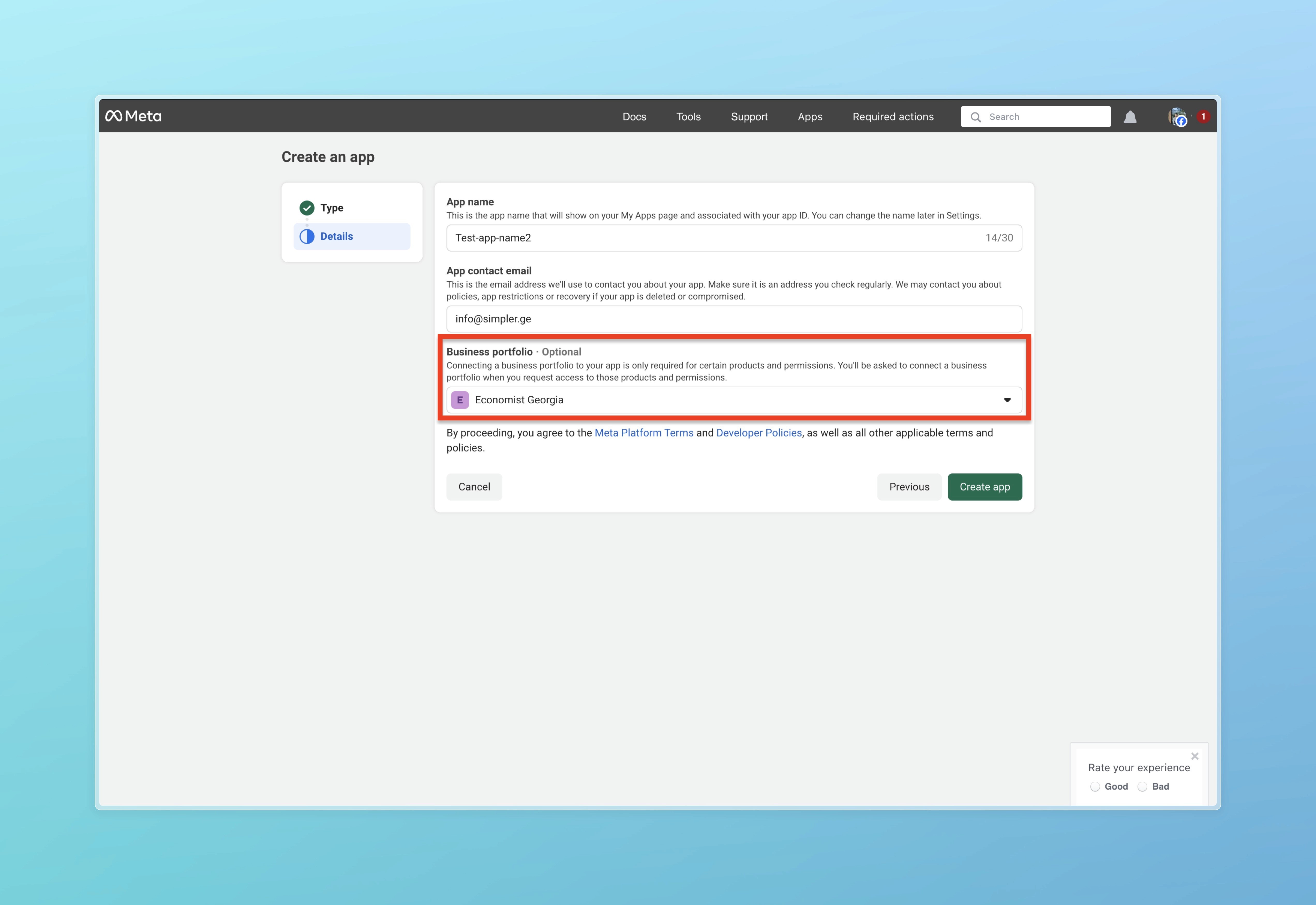
On this page, select Business portfolio and click the Create app button.
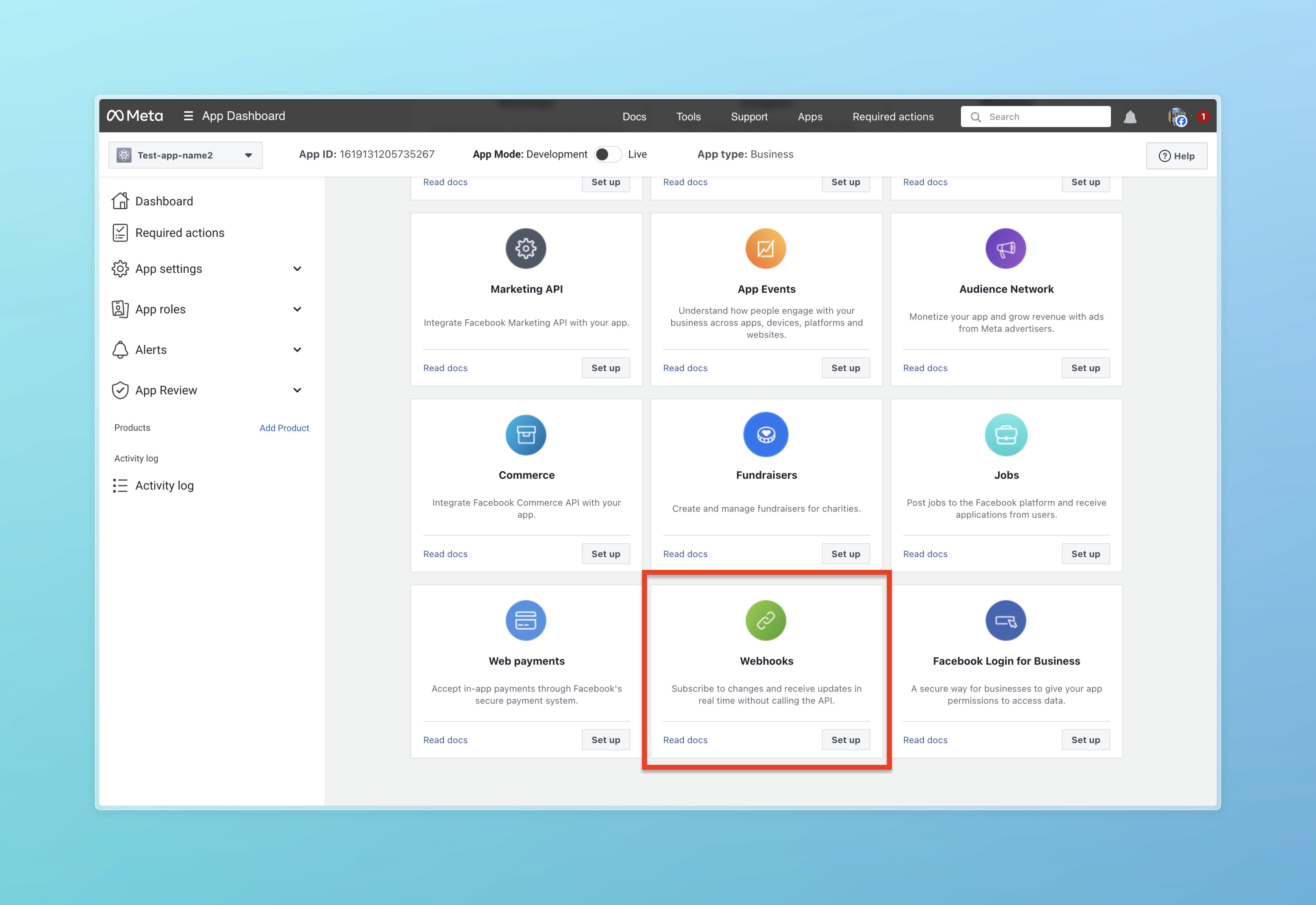
In the list of products, find Webhook and click on the Set up button.
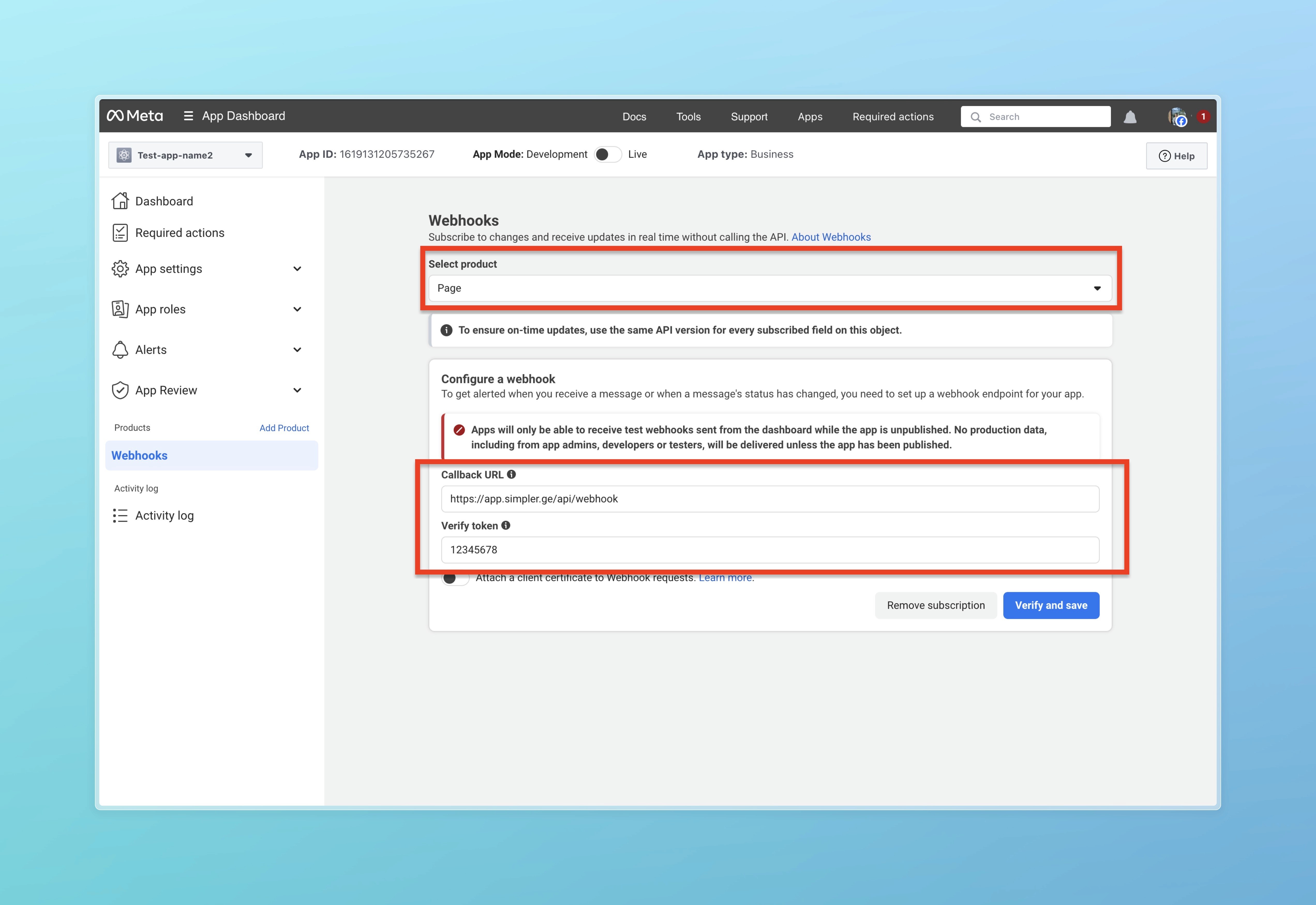
10. In Select product, choose Page and in Callback URL enter https://app.simpler.ge/api/webhook and in Verify token enter 12345678. After this, click Verify and save. Then in Select Product choose Page and new fields will appear below that you need to Subscribe to. You should subscribe for feed and messages.
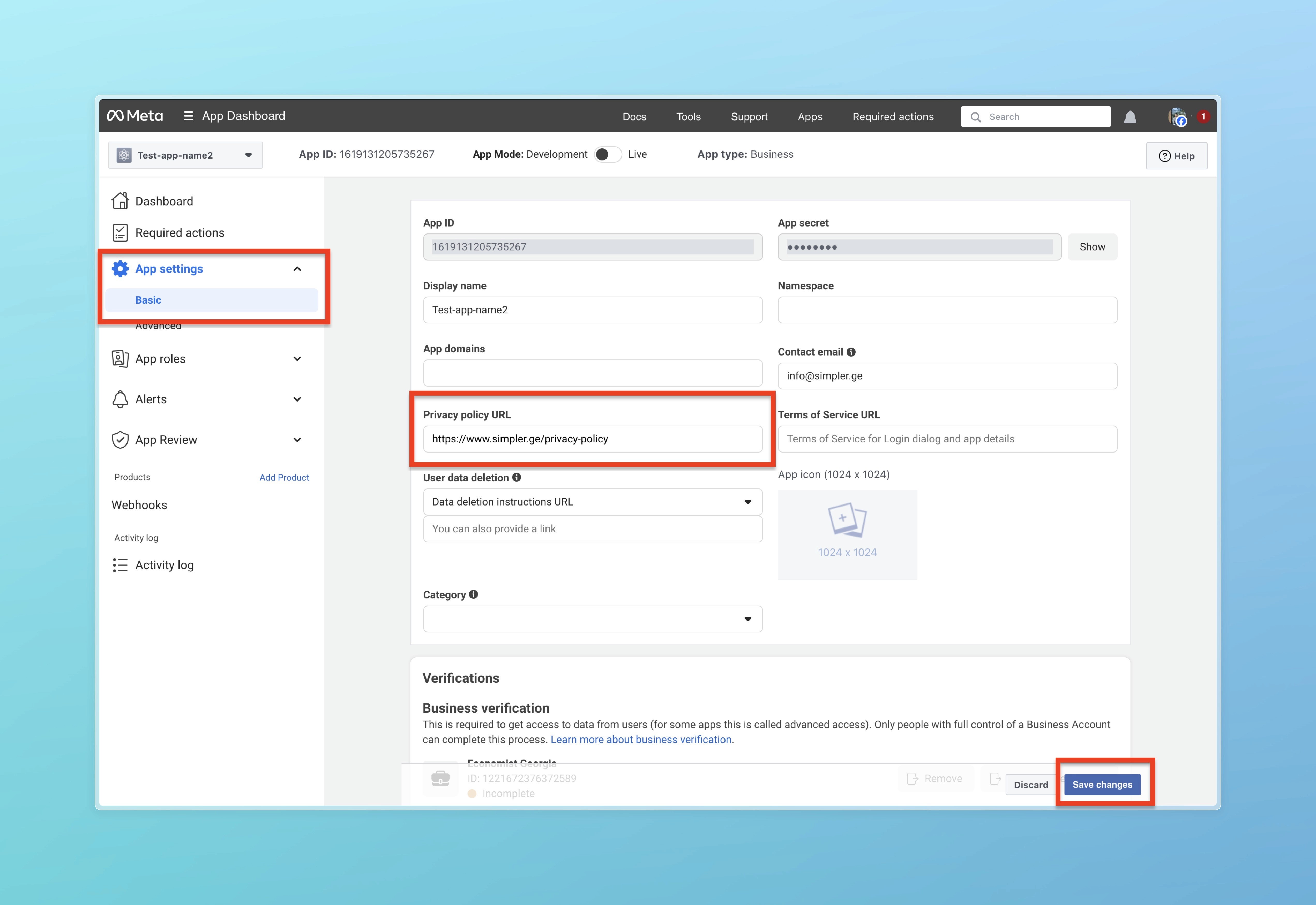
Next, click on App settings and select Basic. Here you need to fill out the Privacy policy URL with the following link https://www.simpler.ge/privacy-policy. After that, click Save changes.
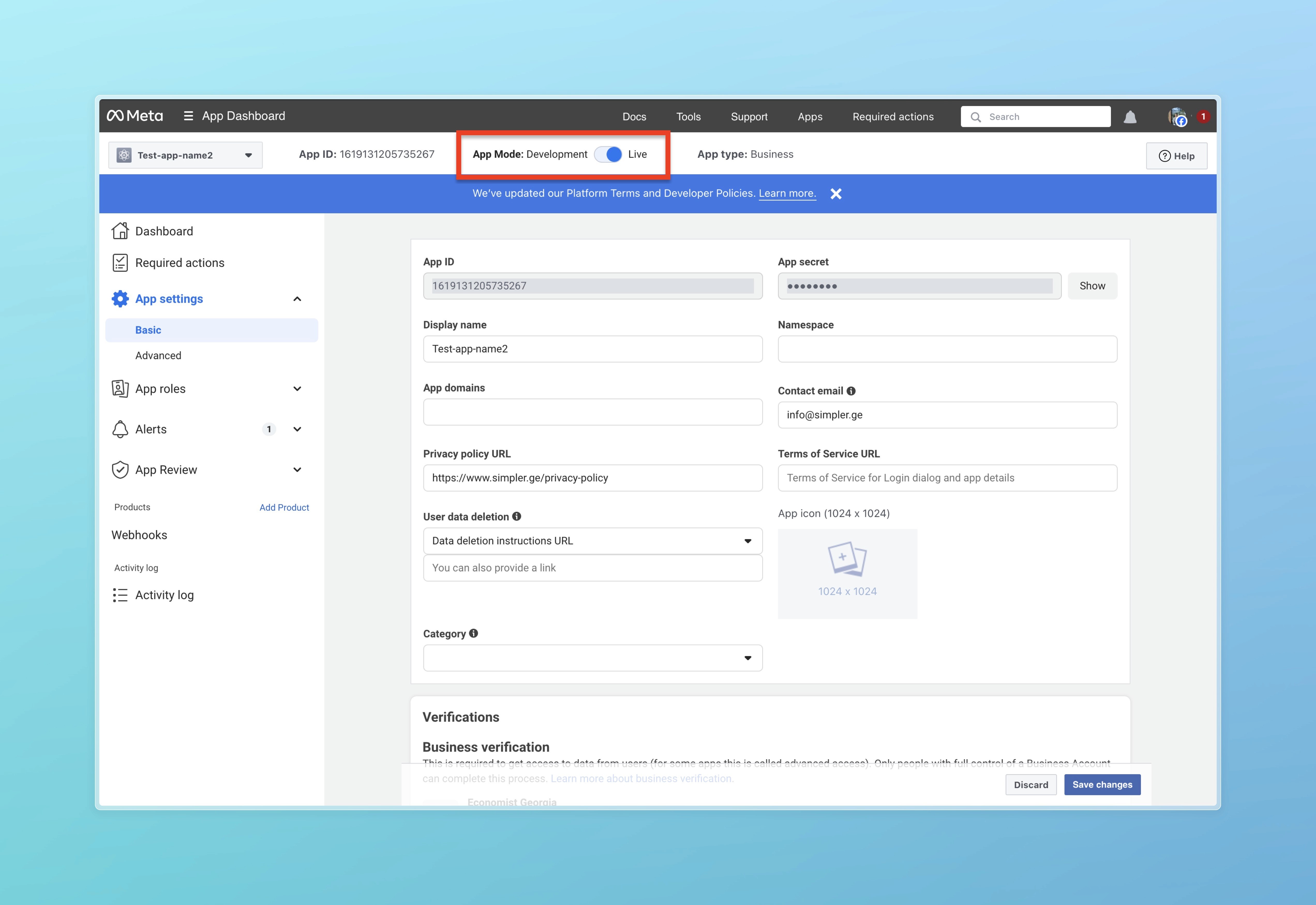
12. Click on App Mode: Development toggle to enable Live mode.
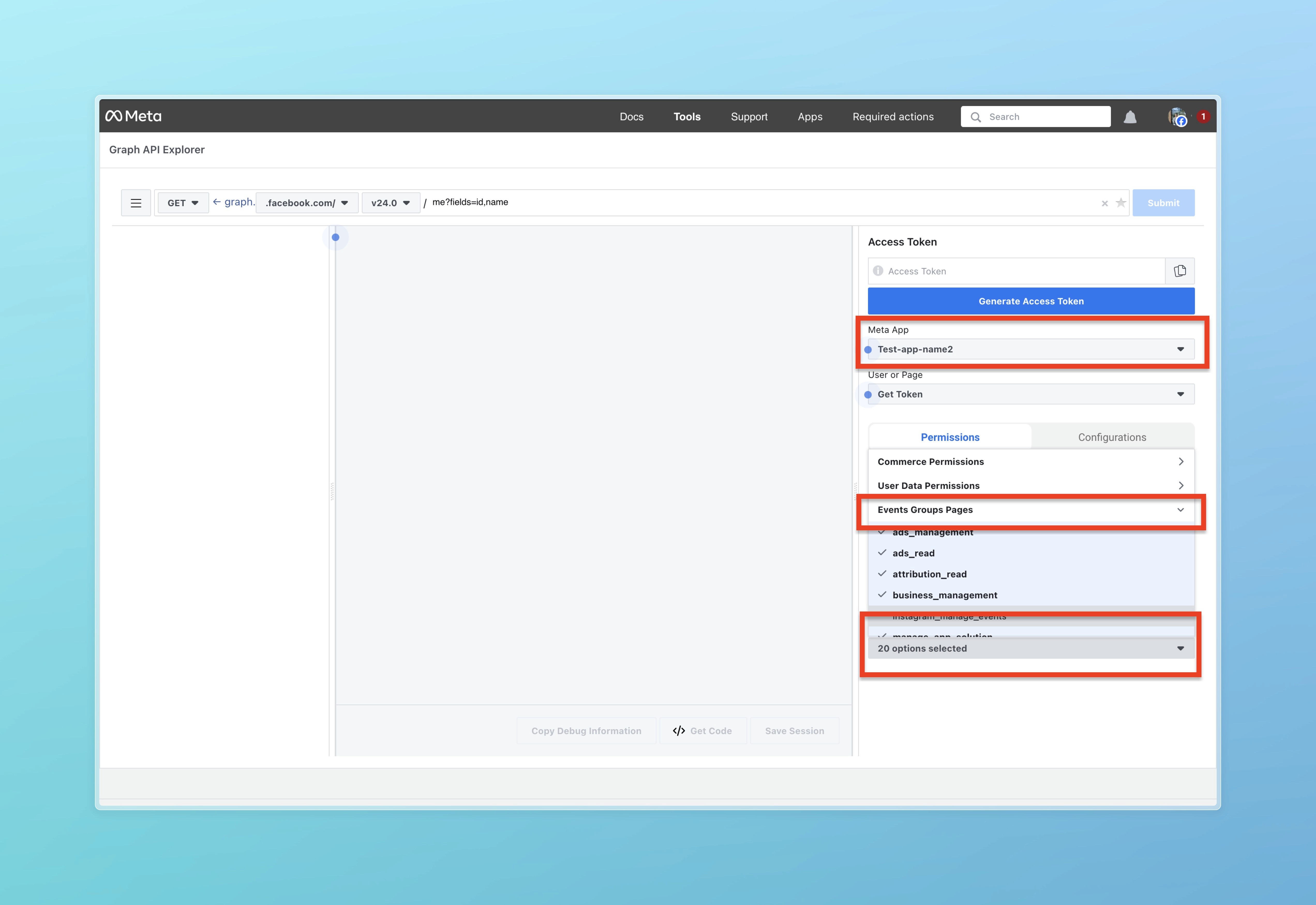
Go to the link https://developers.facebook.com/tools/explorer and select your newly created application in Meta app, then click Add a permission and choose Events Groups Pages. Then select all Permissions except instagram_manage_events.
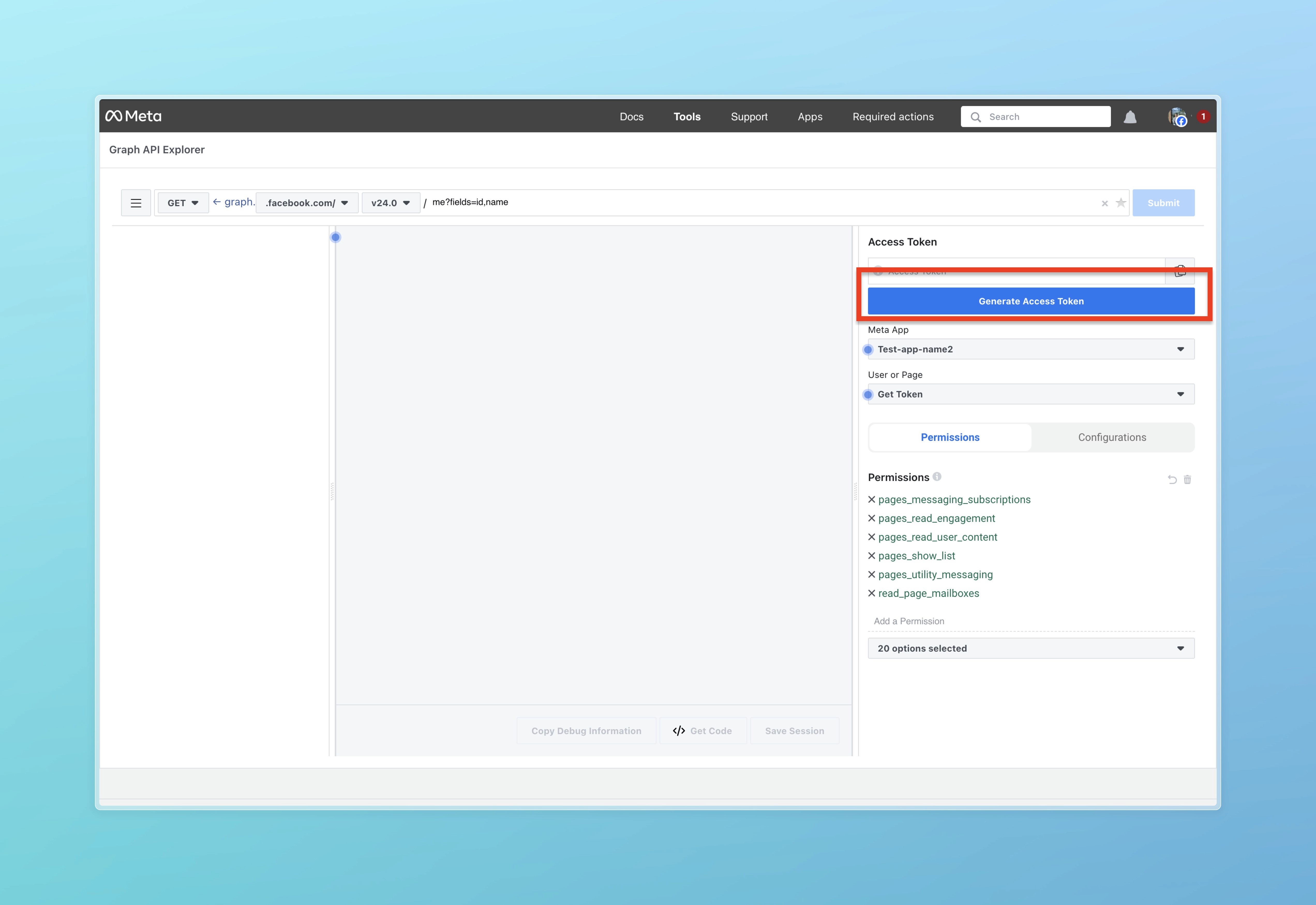
Click Generate Access Token
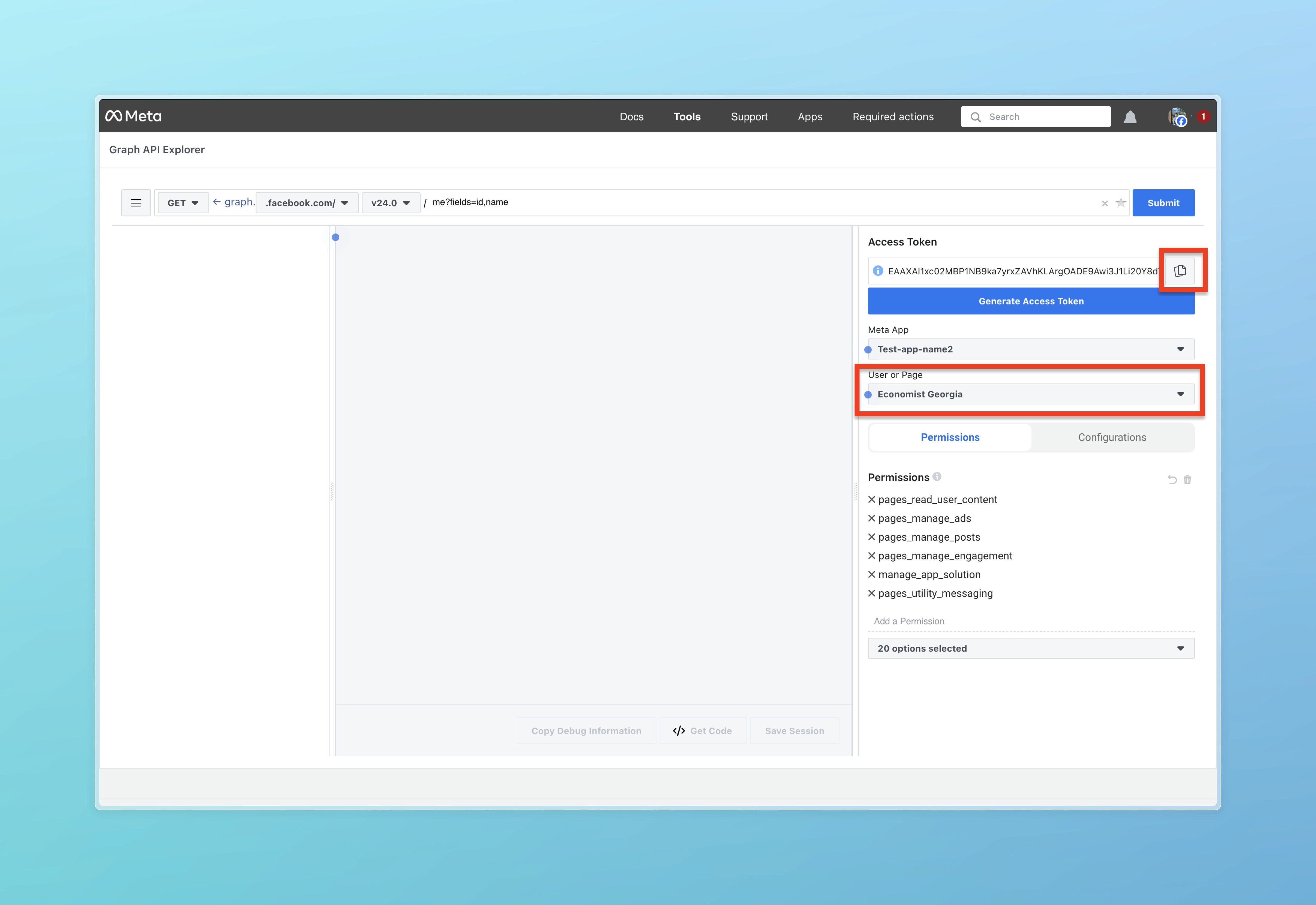
Click User or Page selector and choose your Facebook page, then copy the Access Token as shown in the photo.
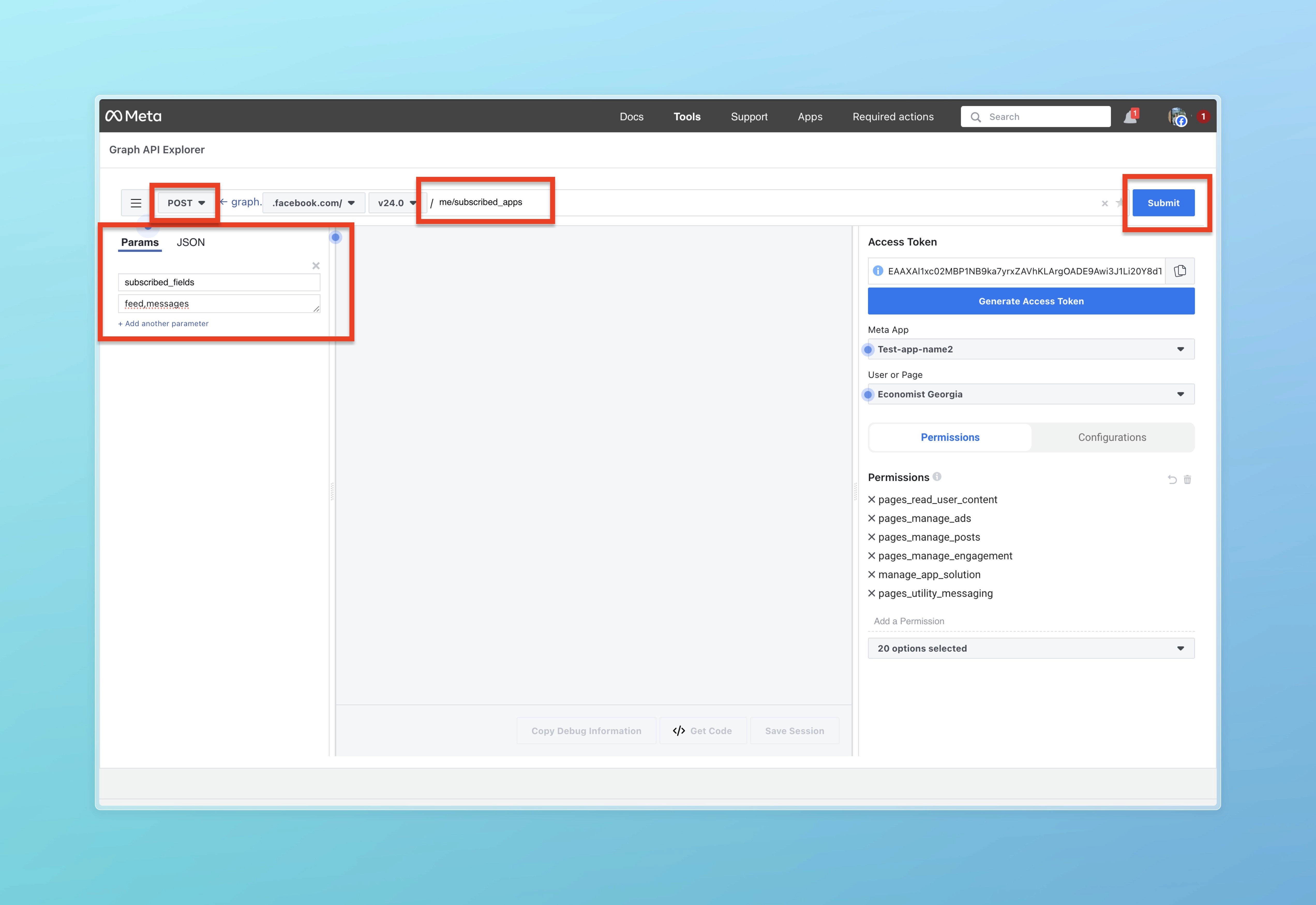
16. Next, fill everything as stated in the red rectangle. In the first text box enter me/subscribed_apps then select POST and click + Add parameter. After that, enter subscribed_fields in the first box and enter feed,messages in the second box and click the Submit button.
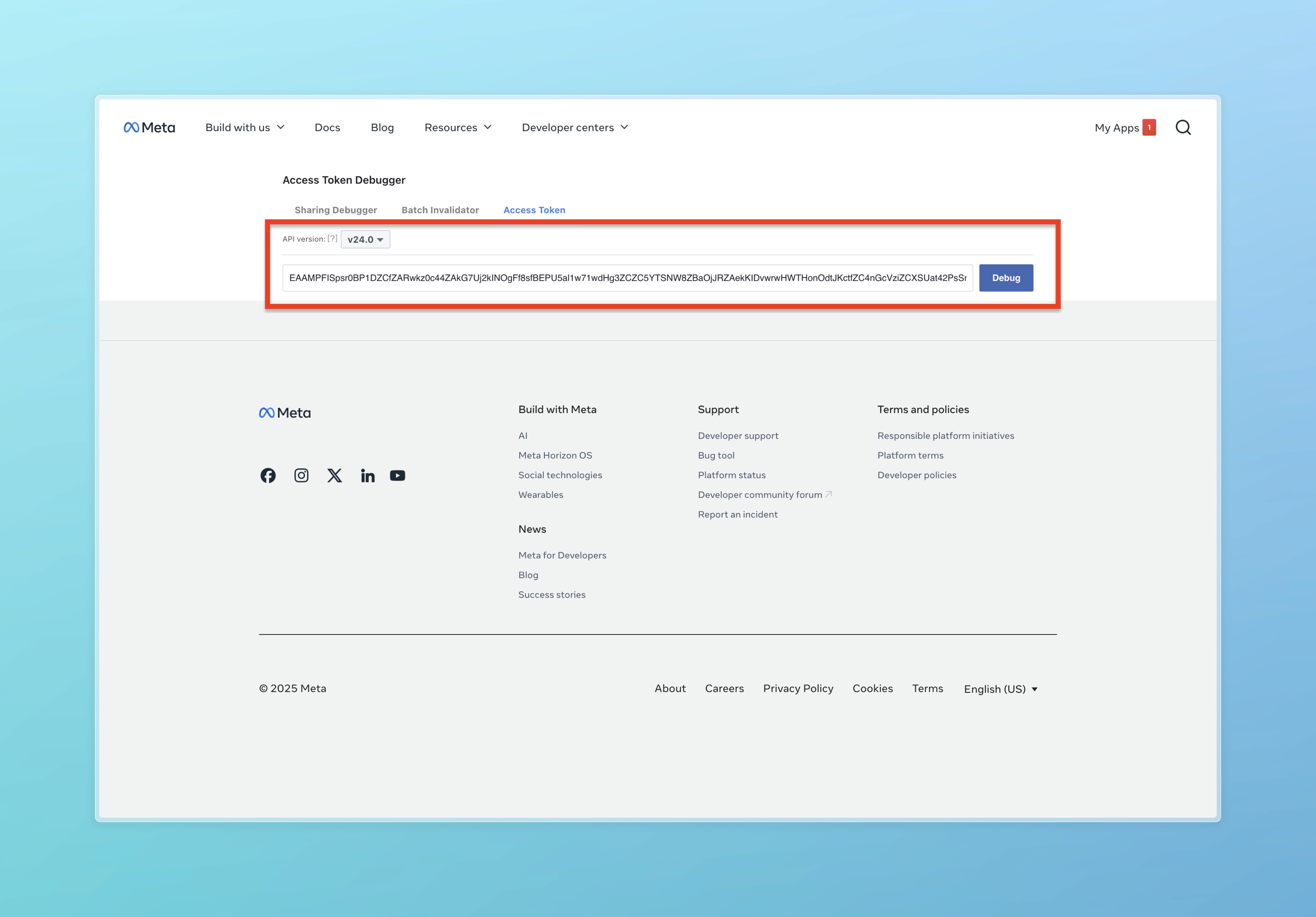
17. After this, go to the link (https://developers.facebook.com/tools/debug/accesstoken/) in a new tab and enter the Access Token you generated. Click Debug.
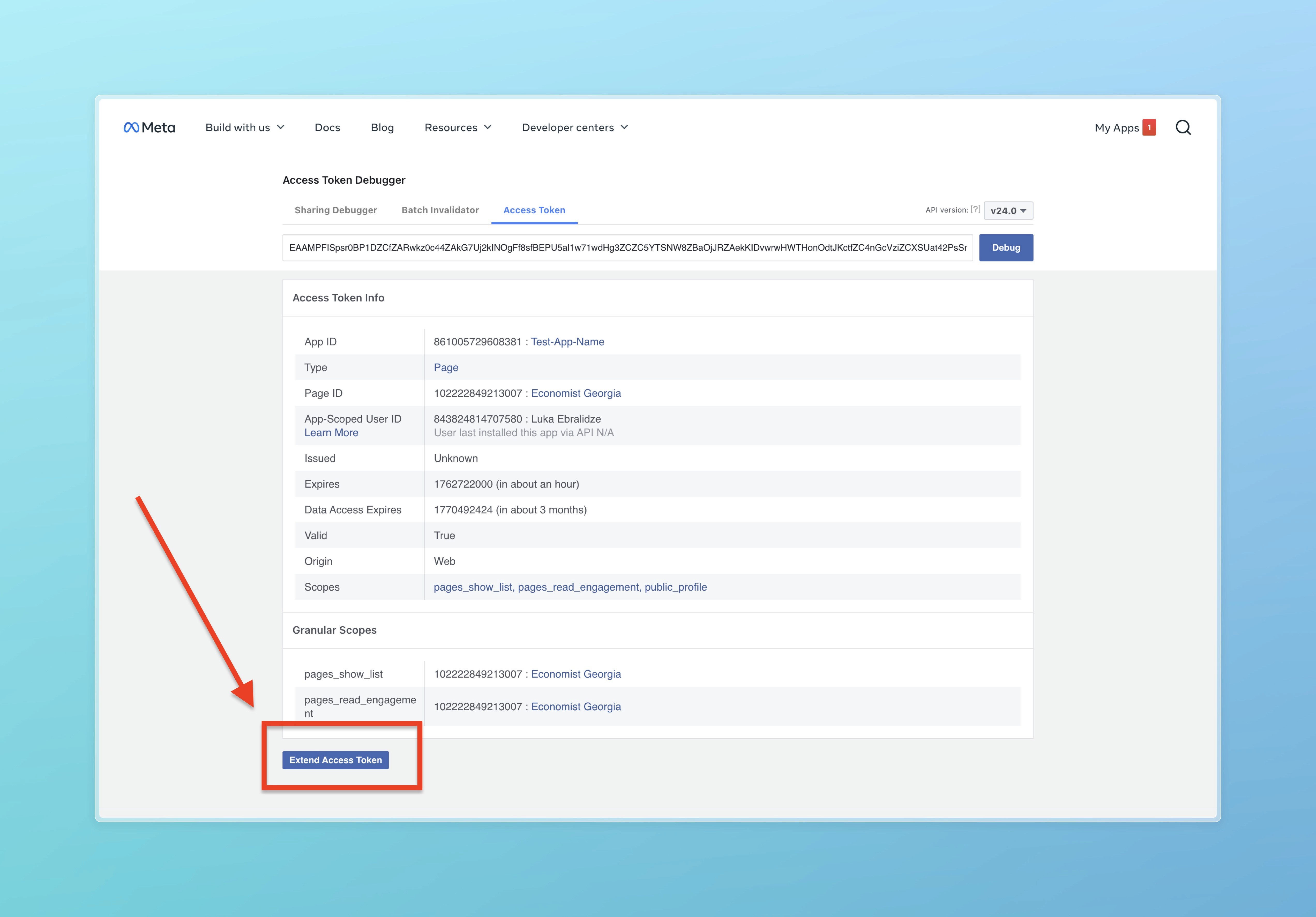
18. Then click on "Extend Access Token" and enter your Facebook password.
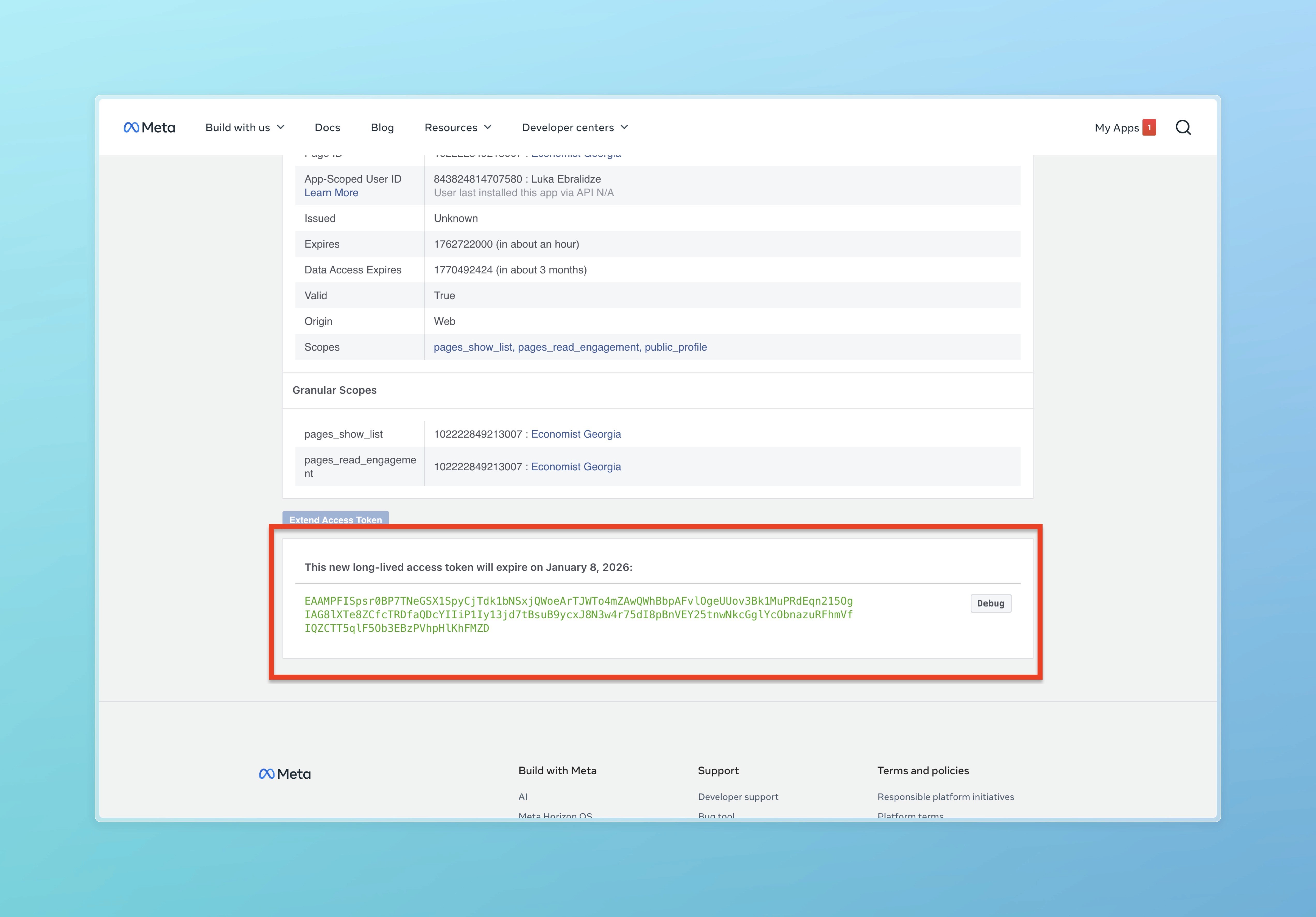
19. Save this generated token (final Access Token)
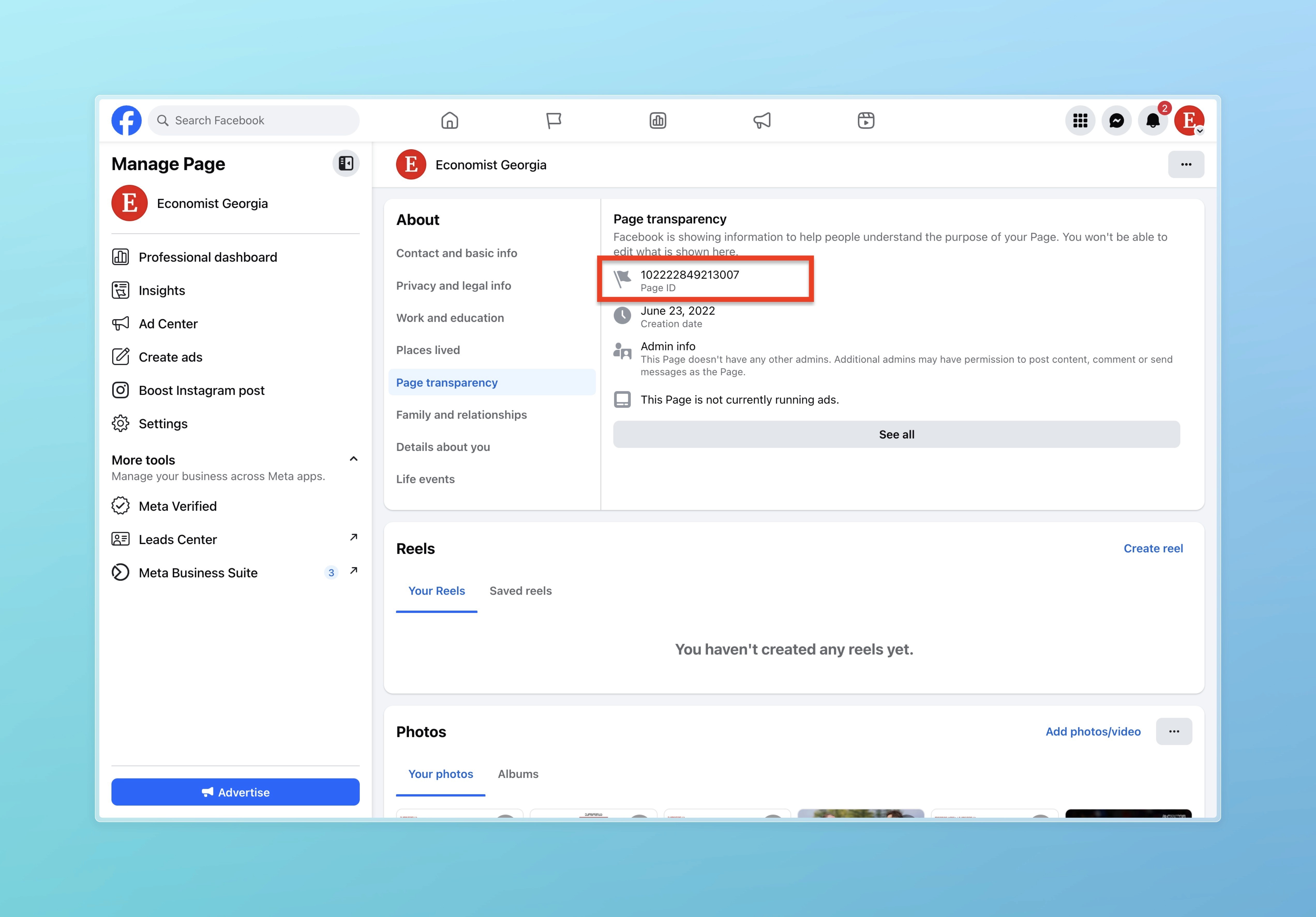
20. Then go to your Facebook page, navigate to About, then Page Transparency and copy and save the Page ID.
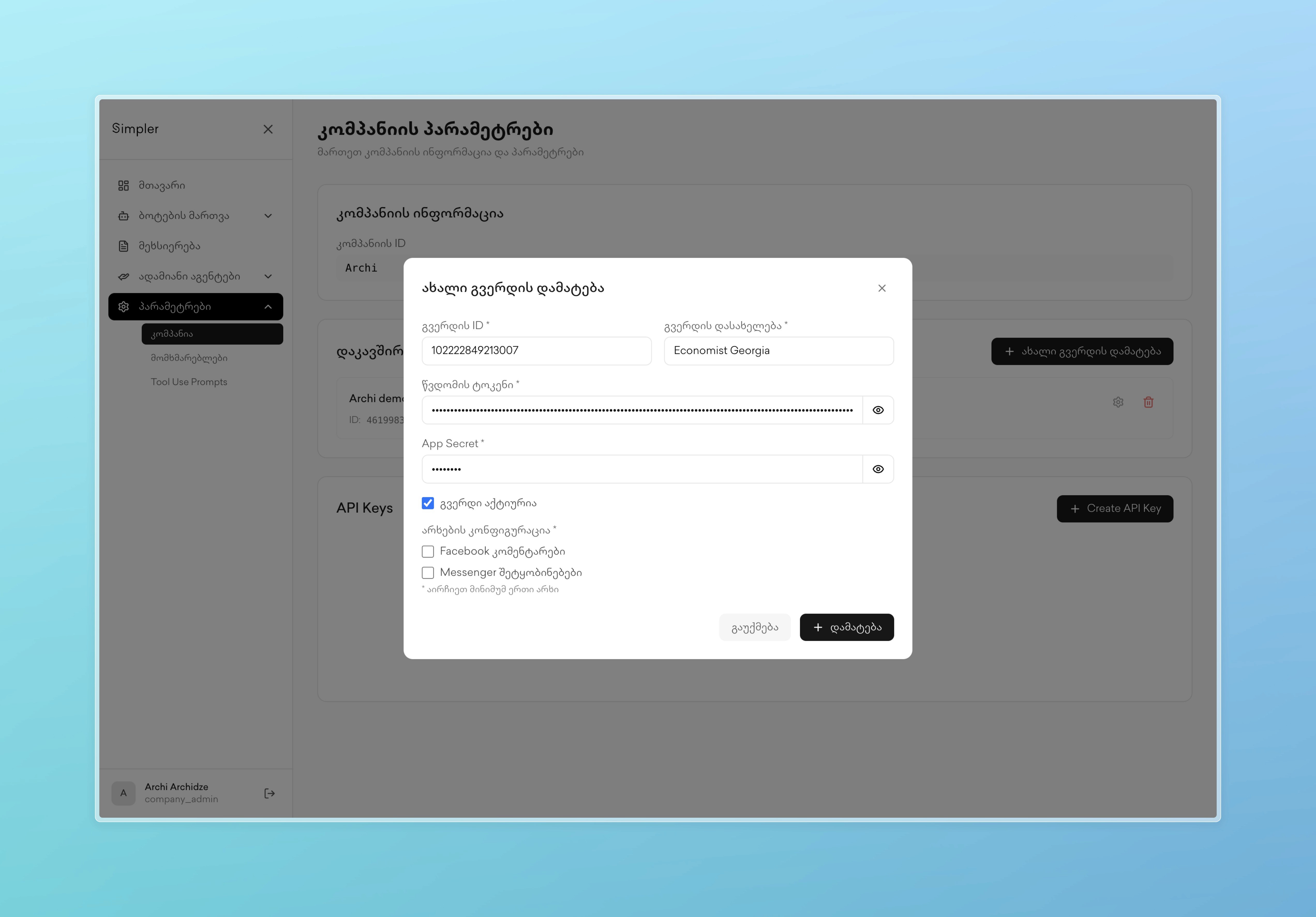
21. After this, open a new tab and go to the link (http://app.simpler.ge/settings/company) and click on Add new page.
Enter the "Page ID*" in the field.
Enter the name of the page in "Page name*" field.
In the "Access Token*" field, enter the final Access Token
In the "App Secret*" field, enter "12345678"
Select whether you add only for Facebook, Messenger, or both (where the bot should work).
Click on add.
Contact us on Whatsapp at +995 599 100 987
or via email: info@simpler.ge