Control panel
Company settings
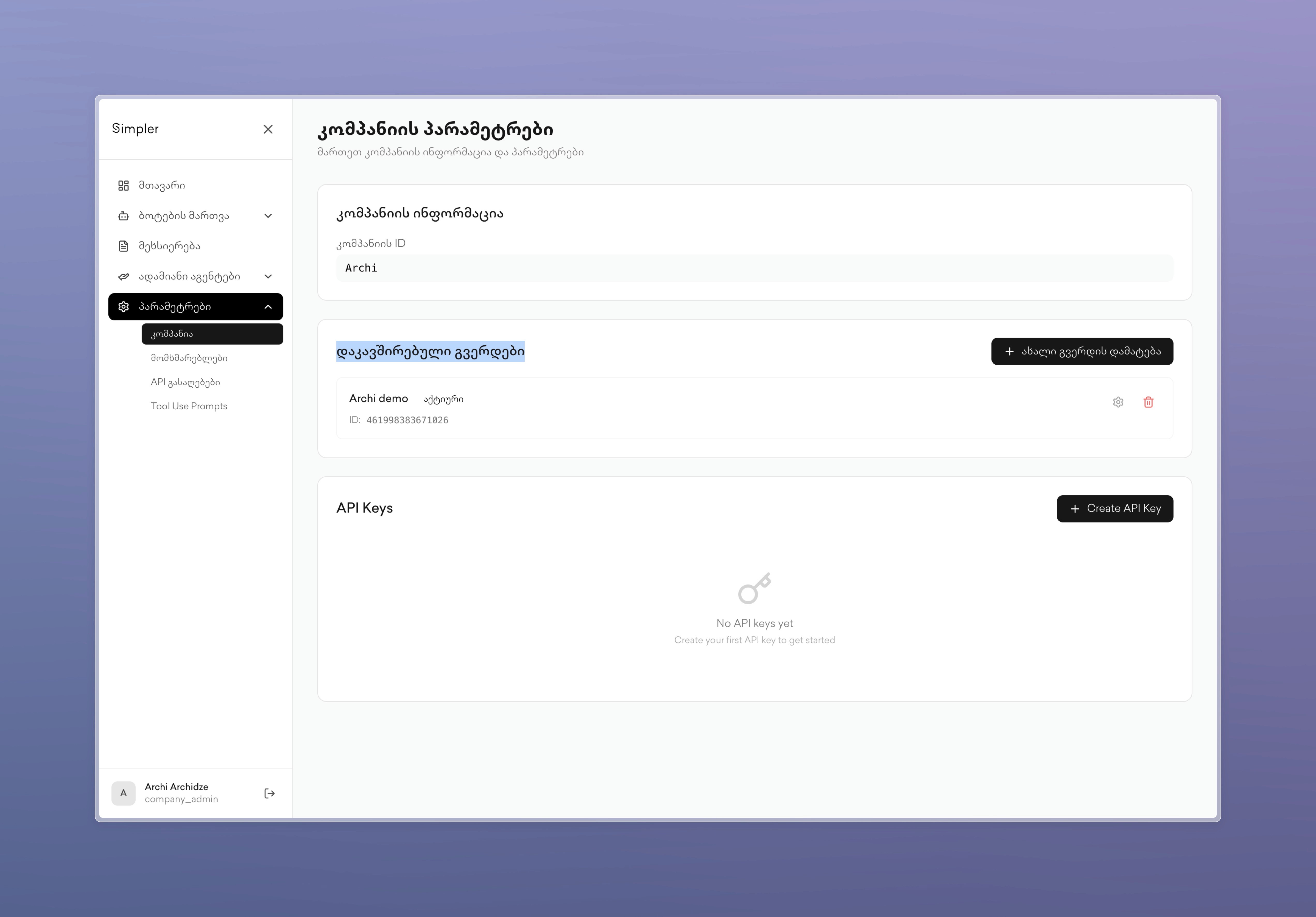
Company settings page manages your company's information and related platforms. At the top, you will see your company's ID. The connected pages section shows all connected Facebook pages with their IDs and active status, and there is also a button to add new Facebook pages.
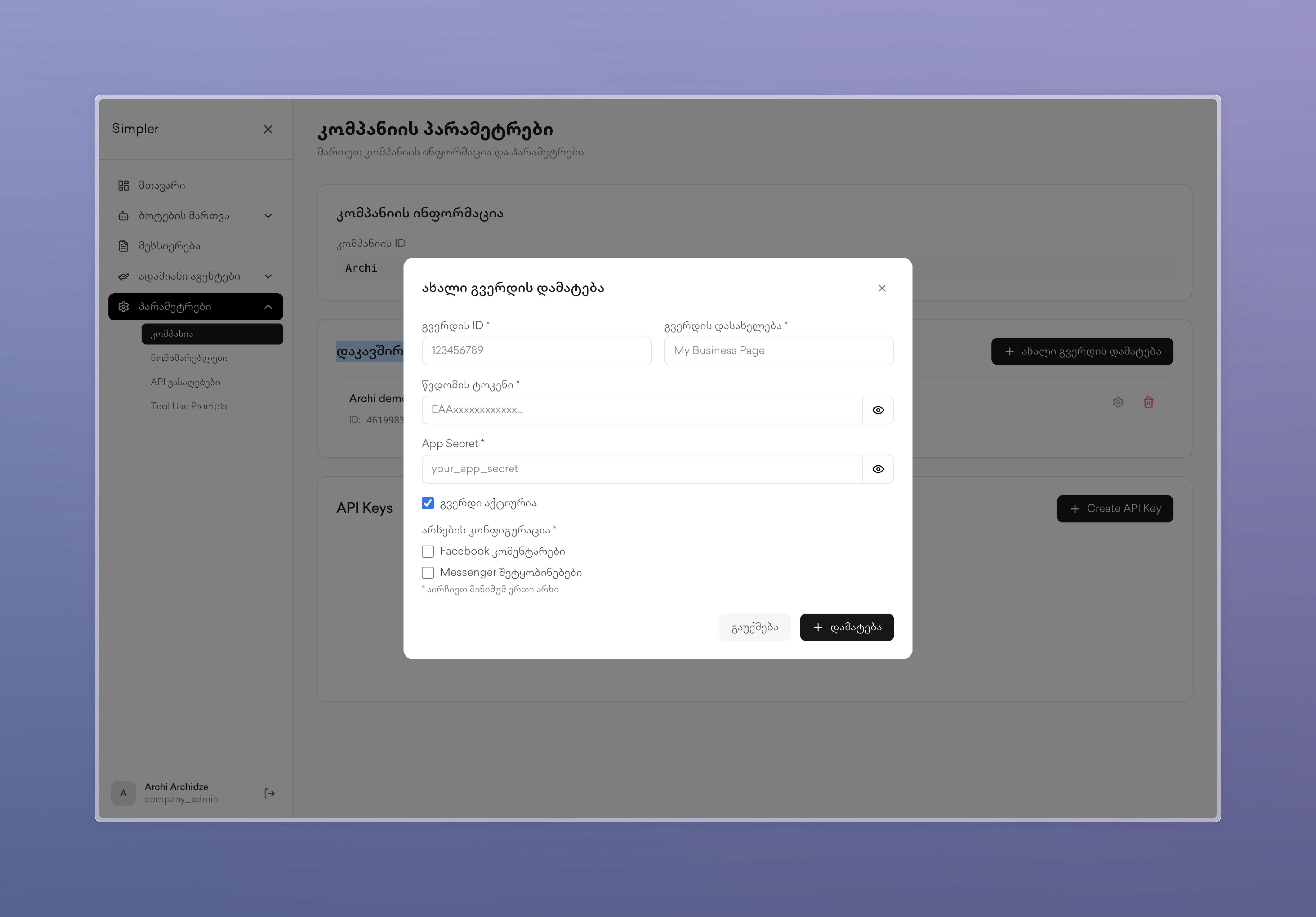
When adding a new Facebook page, a modal window opens that asks for the page ID, page name, access token, and app secret. You can designate the page as active and select which channels to enable by checking Facebook or Messenger fields. This page serves as the central hub in Simpler for connecting and managing all your communication platforms.
Contact us on Whatsapp at +995 599 100 987
or via email: info@simpler.ge