ინტეგრაციების ინსტრუქციები
ბიზნეს ვერიფიკაცია
გახსენით https://developers.facebook.com/apps/ ბმული და აირჩიეთ თქვენი აპლიკაცია. შემდეგ გადადით App Review-ში და აირჩიეთ Permissions and Features. მოითხოვეთ Business Asset User Profile Access უფლება Request advanced access ღილაკზე დაჭერით.
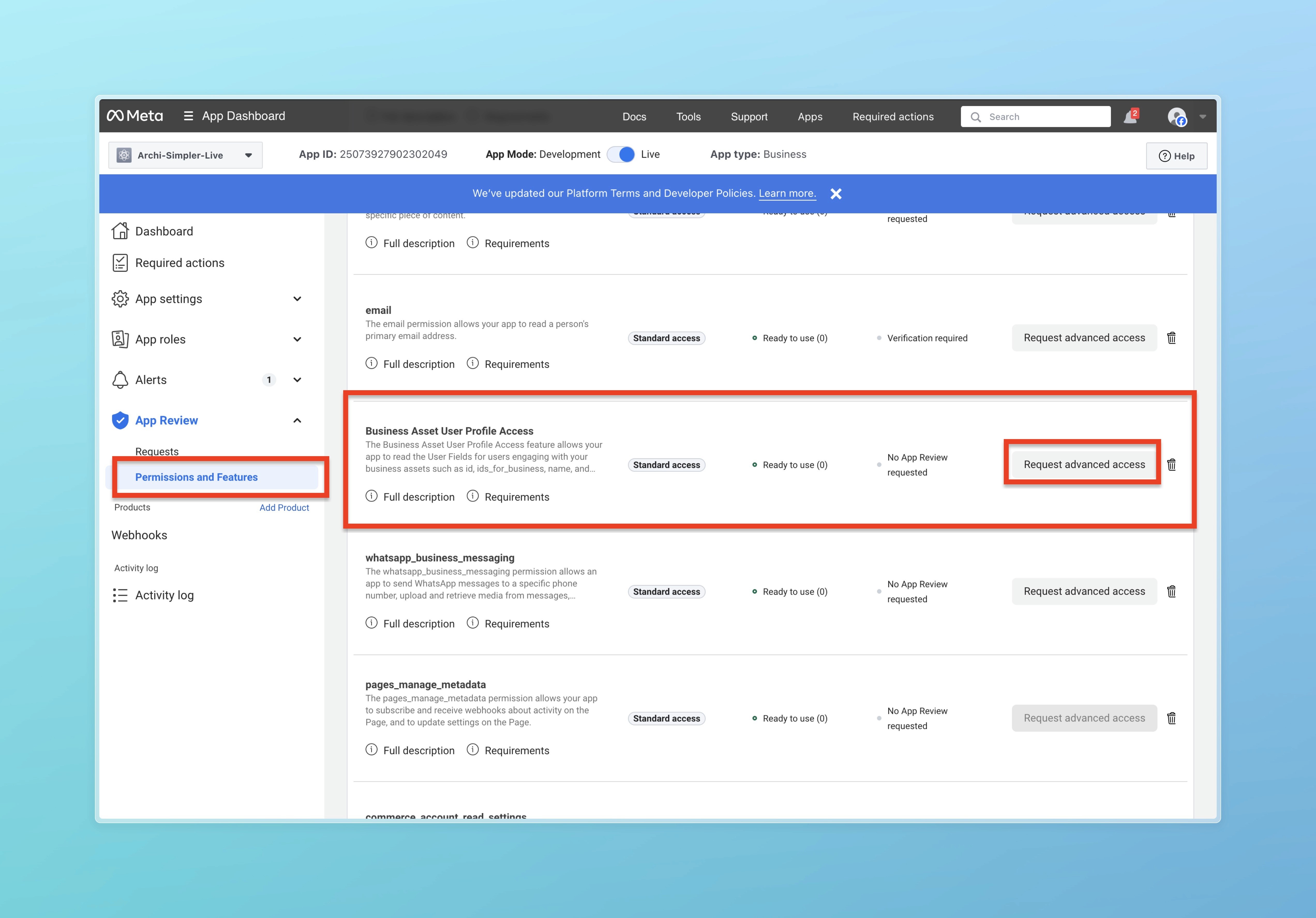
არჩევის შემდეგ დააჭირეთ Continue request
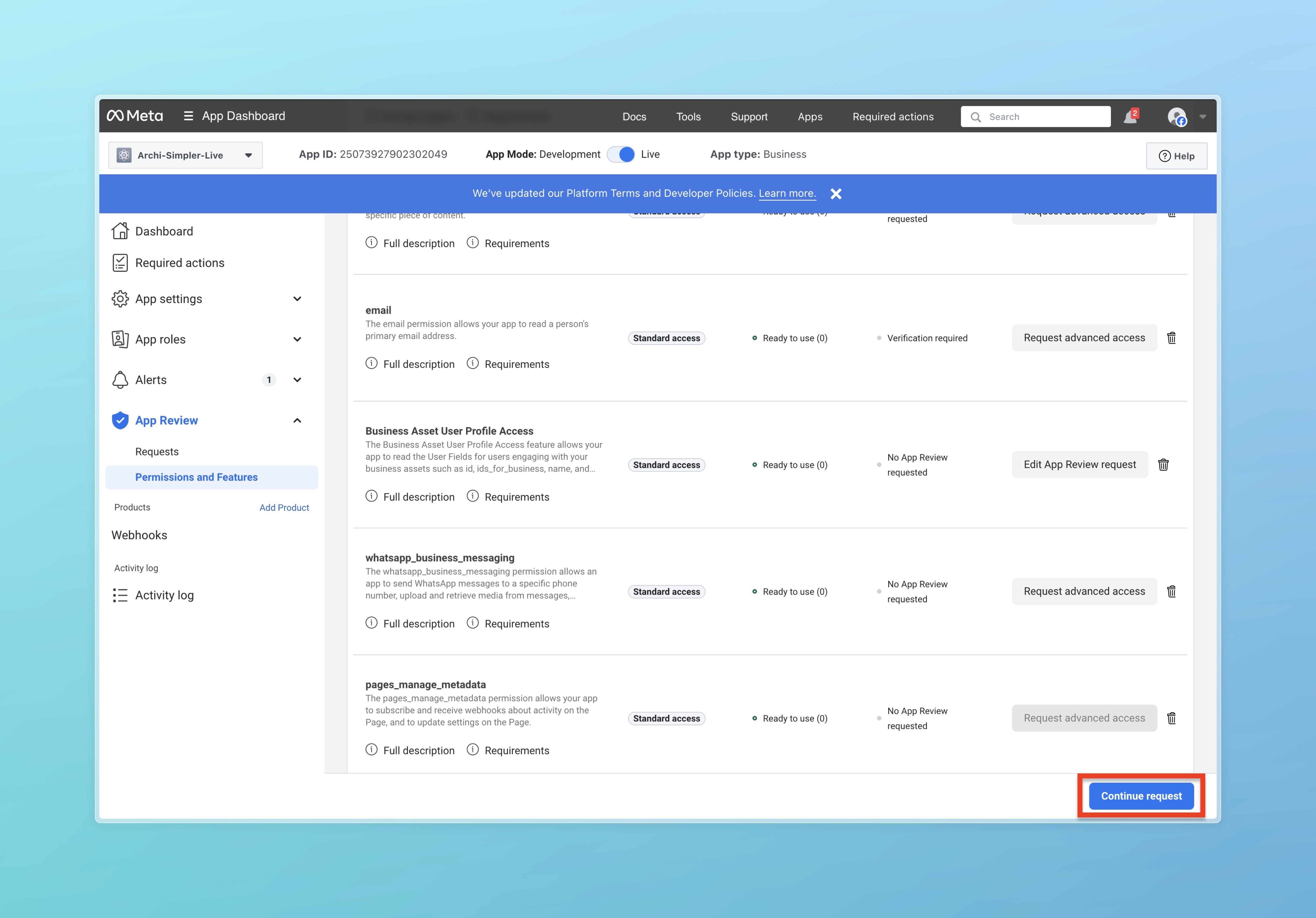
შემდეგ დააჭირეთ Next ღილაკს
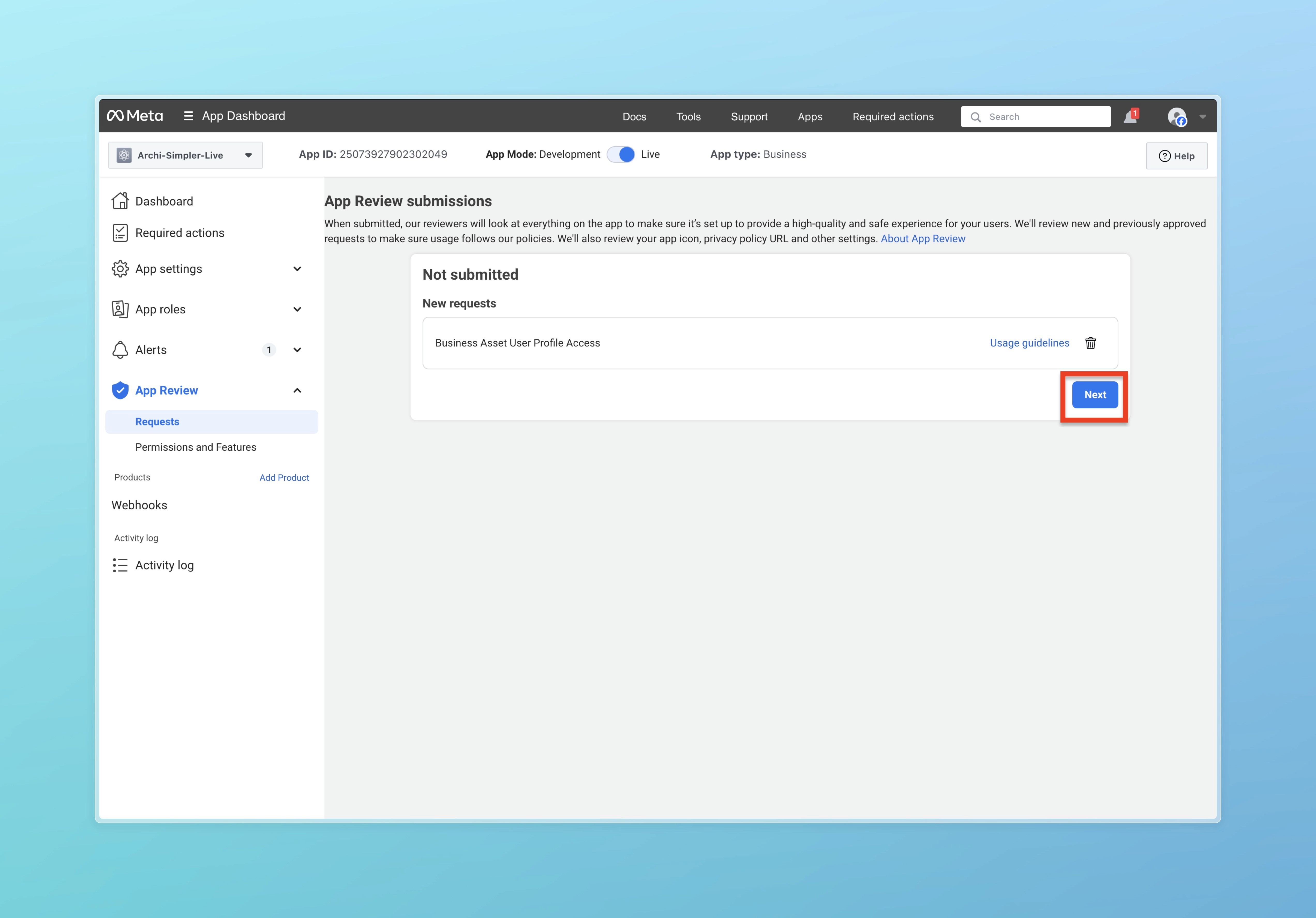
დააჭირეთ Go to app settings
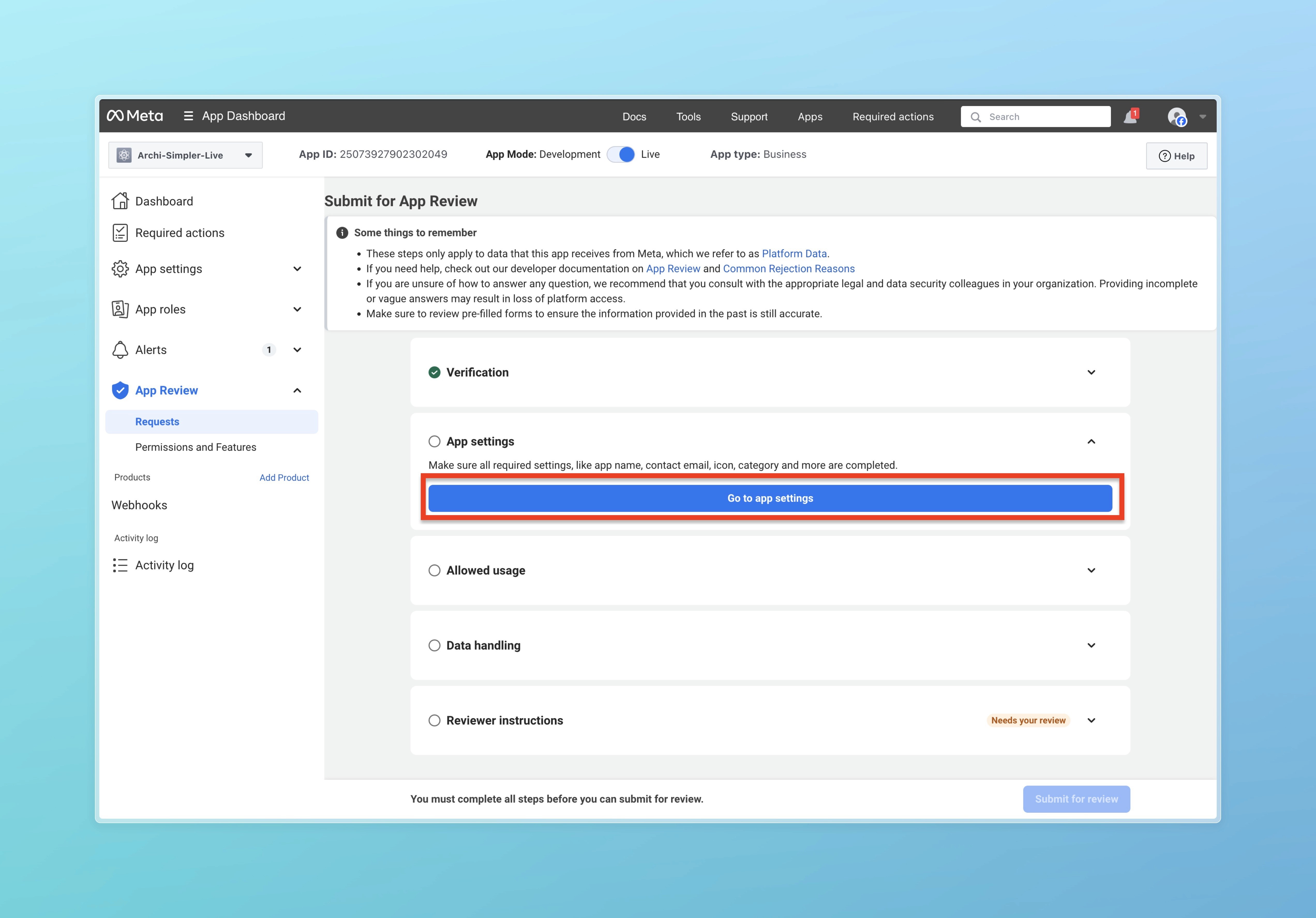
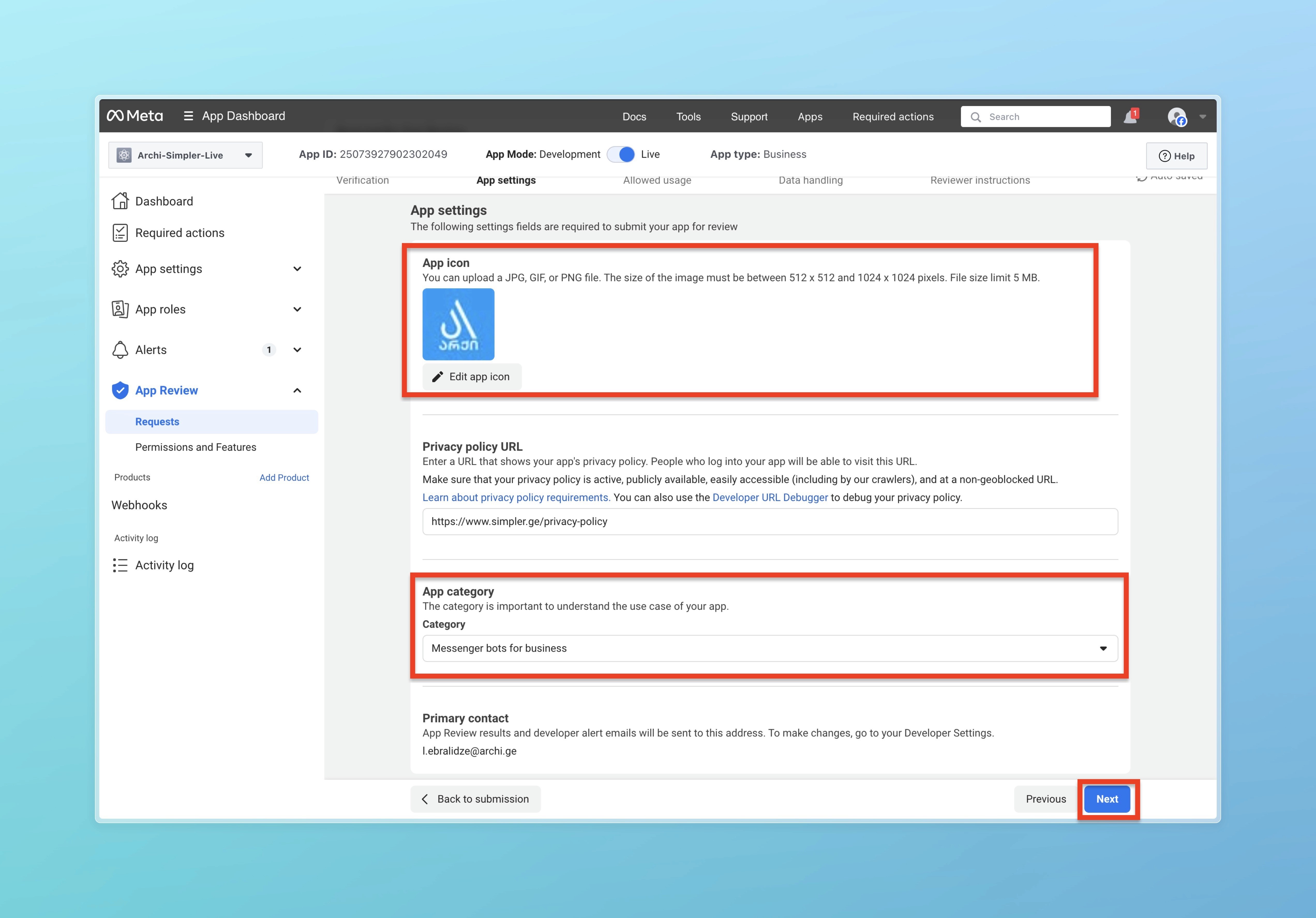
აირჩიეთ Icon თქვენი App-ისთვის და App category-ში აირჩიეთ Messenger bots for business. ამის შემდეგ დააჭირეთ Next ღილაკს.
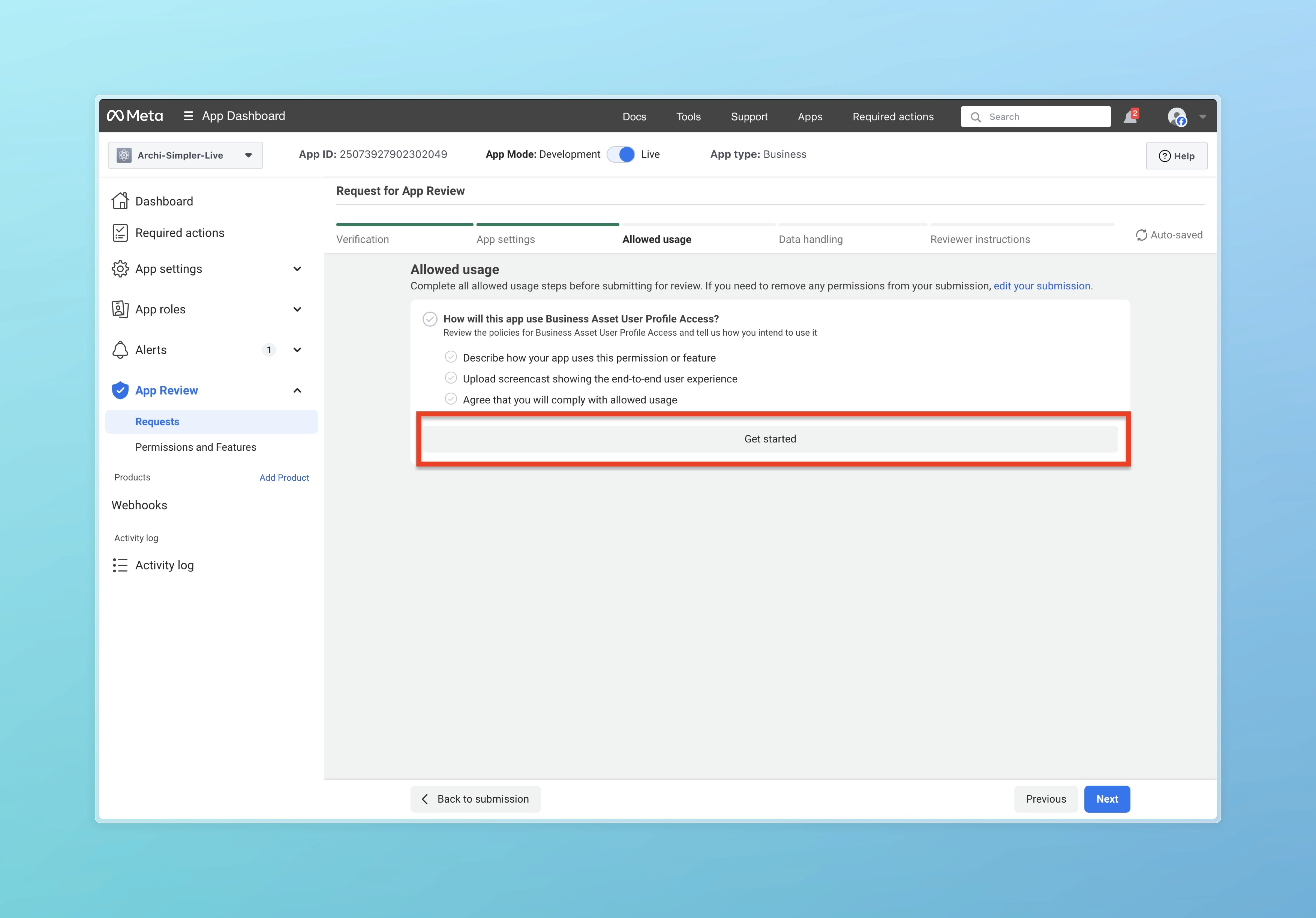
დააჭირეთ Get Started ღილაკს
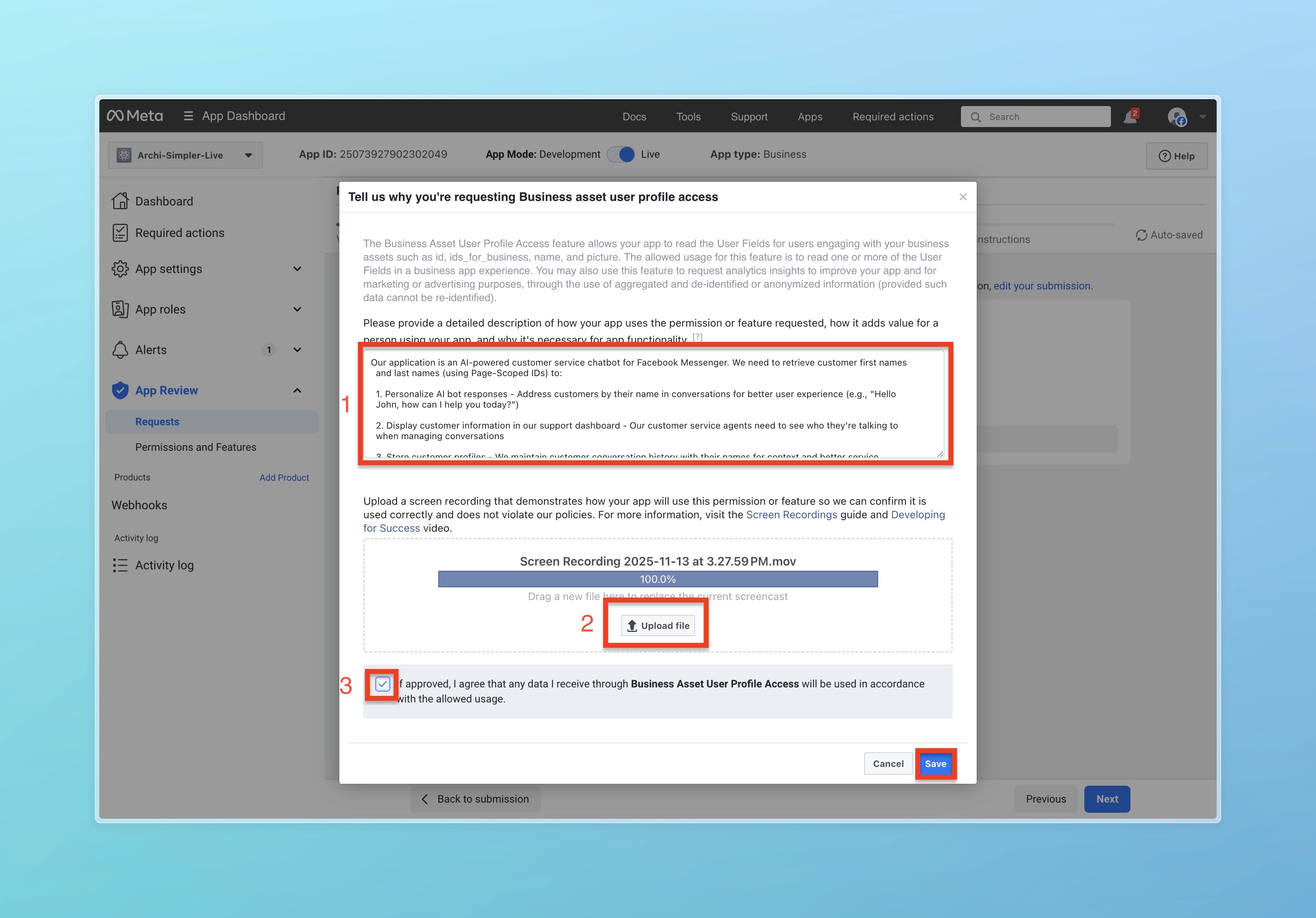
პირველ ტექსტურ ველში ჩაწერეთ "Our application is an AI-powered customer service chatbot for Facebook Messenger. We need to retrieve customer first names and last names (using Page-Scoped IDs) to:
Personalize AI bot responses - Address customers by their name in conversations for better user experience (e.g., "Hello John, how can I help you today?"),
Display customer information in our support dashboard - Our customer service agents need to see who they're talking to when managing conversations,
Store customer profiles - We maintain customer conversation history with their names for context and better service,
The data flow is:
Customer sends message via Messenger
We receive webhook with PSID,
We call Graph API /{PSID}?fields=first_name,last_name to get customer name,
We display the name in our dashboard and use it in AI responses,
We store it in our database for conversation continuity,
,
This enhances user experience by making conversations more personal and helps our support team provide better service."
და გამოწერეთ ვიდეო ამ ბმულიდან https://drive.google.com/file/d/1PICAi118j91fr3QRIO2Q1eEyYNLWadU2/view?usp=sharing, რათა ის ატვირთოთ მეორე შესავსებში.
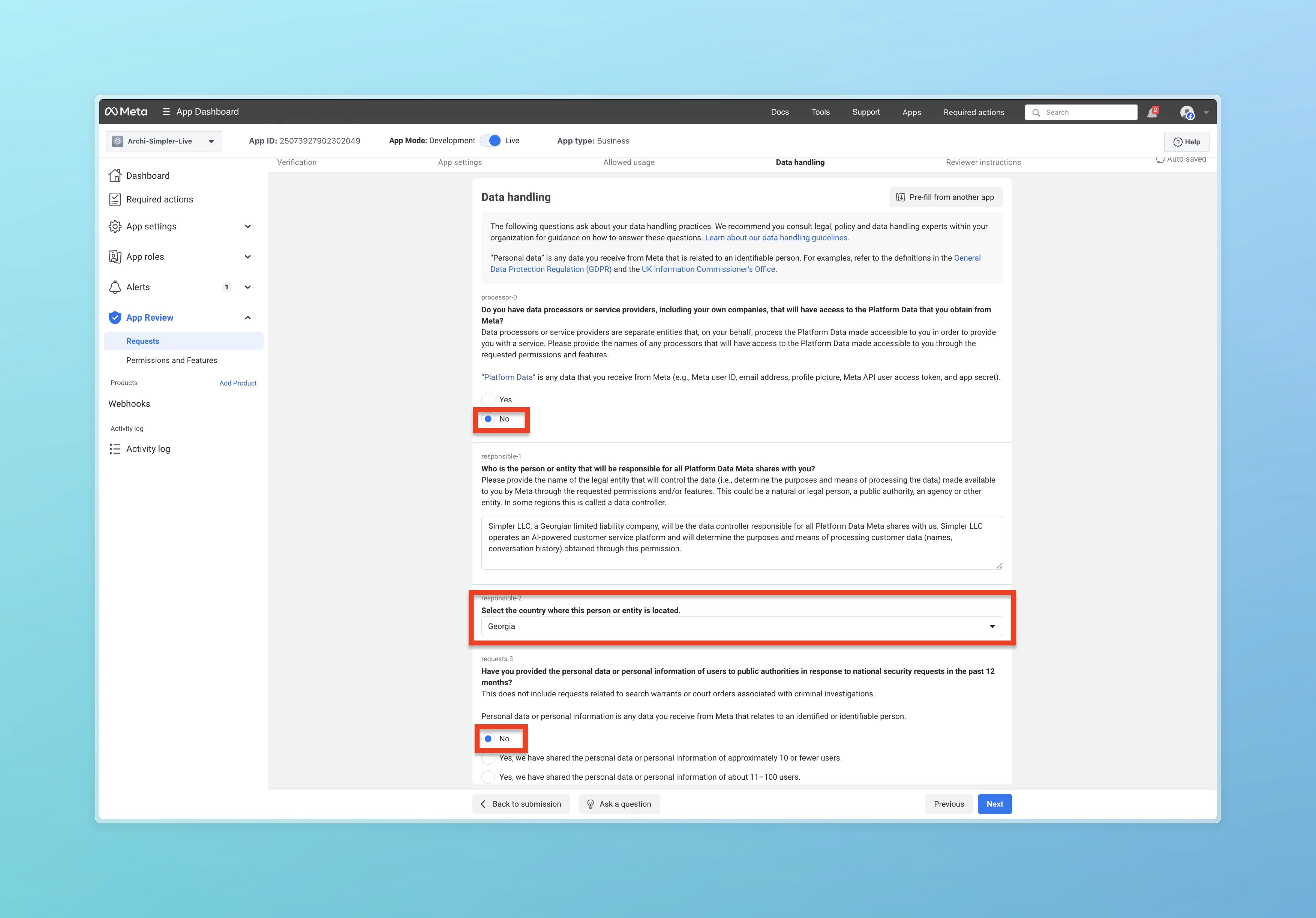
შემდეგ მონიშნეთ No, ასევე აირჩიეთ ქვეყანა და შემდეგ ისევ მონიშნეთ No.
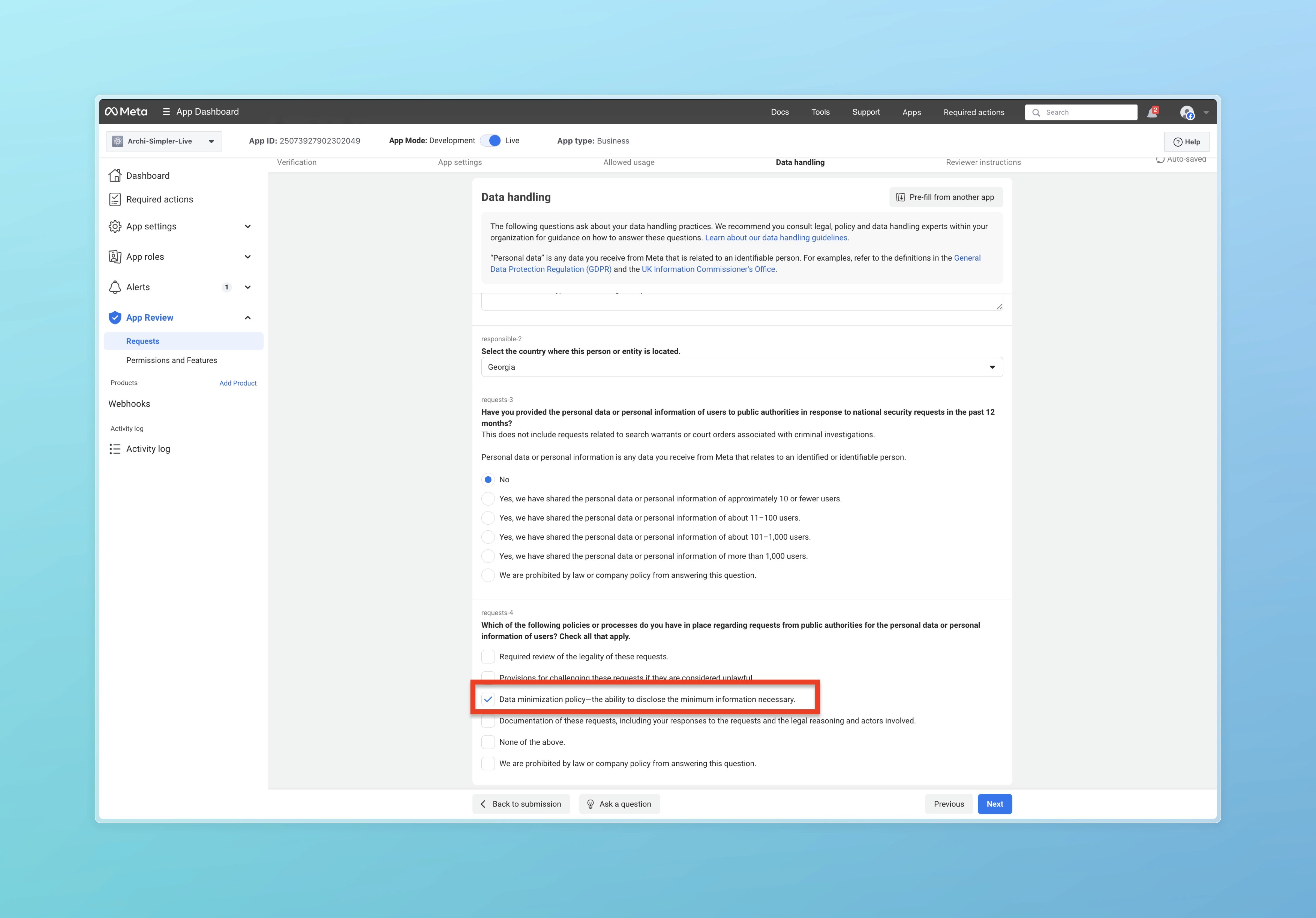
ამის შემდეგ მონიშნეთ Data minimization policy—the ability to disclose the minimum information necessary და დააჭირეთ Next ღილაკს.
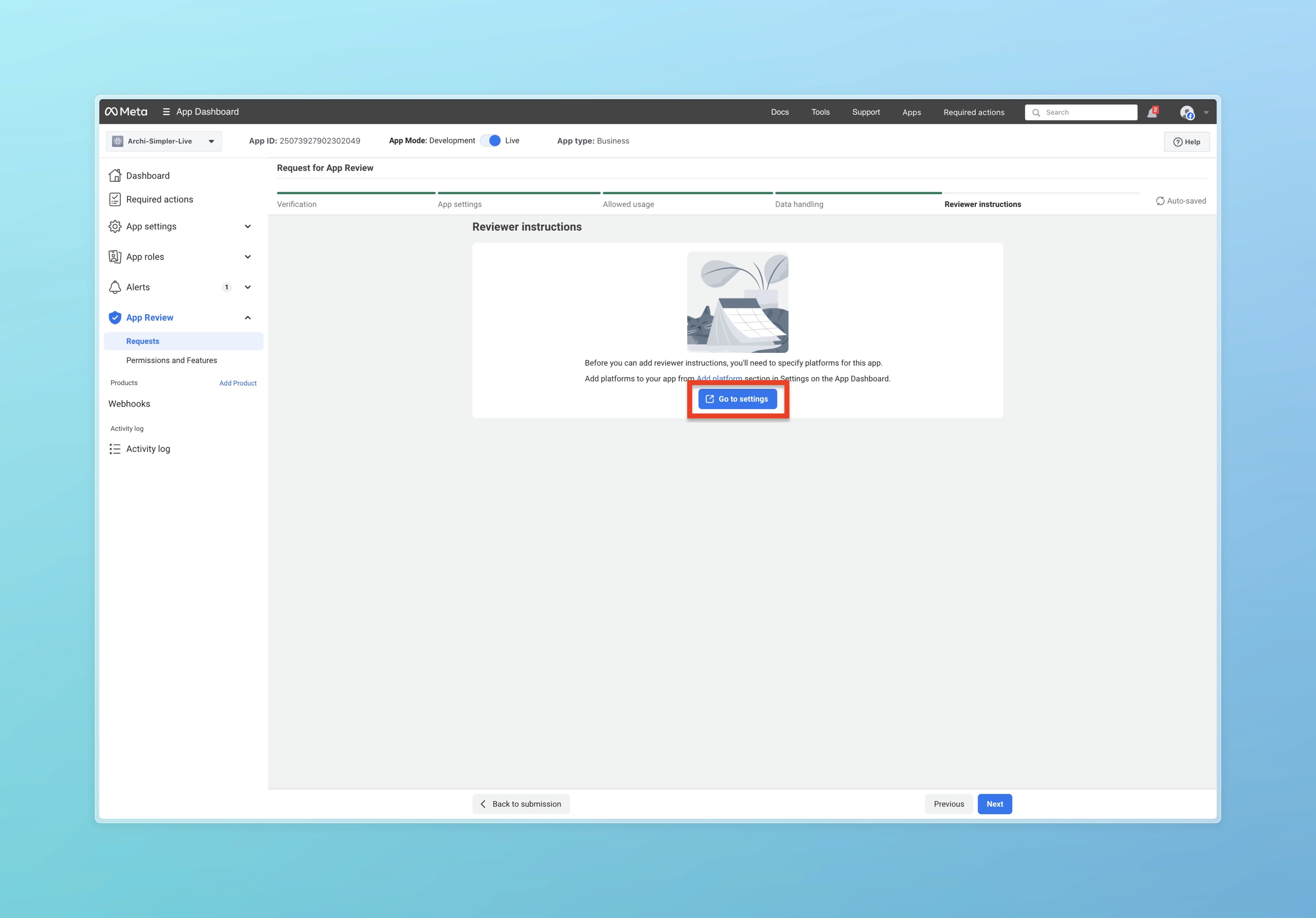
დააჭირეთ Go to settings
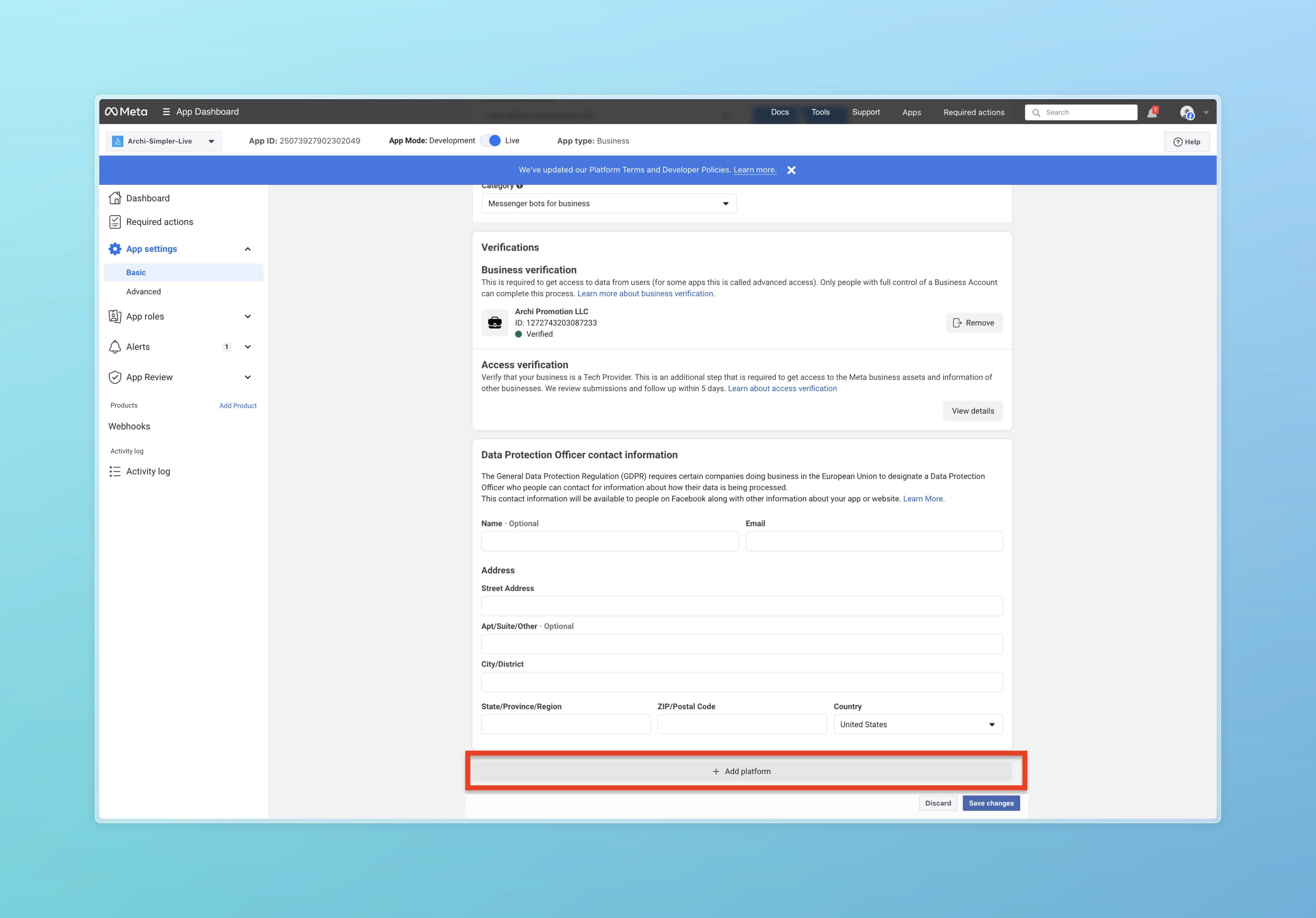
. დააჭირეთ + Add platforms.
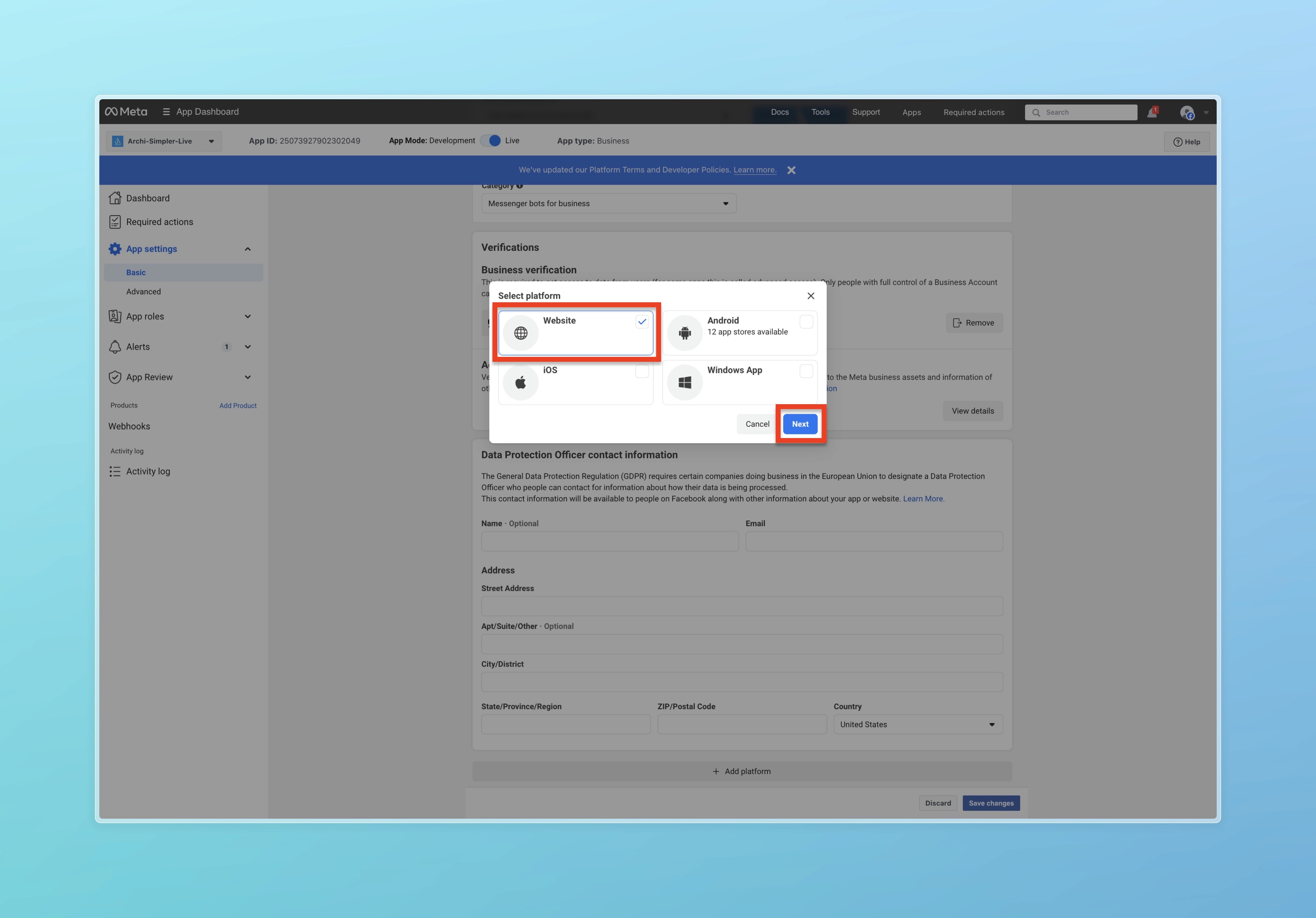
დააჭირეთ Website
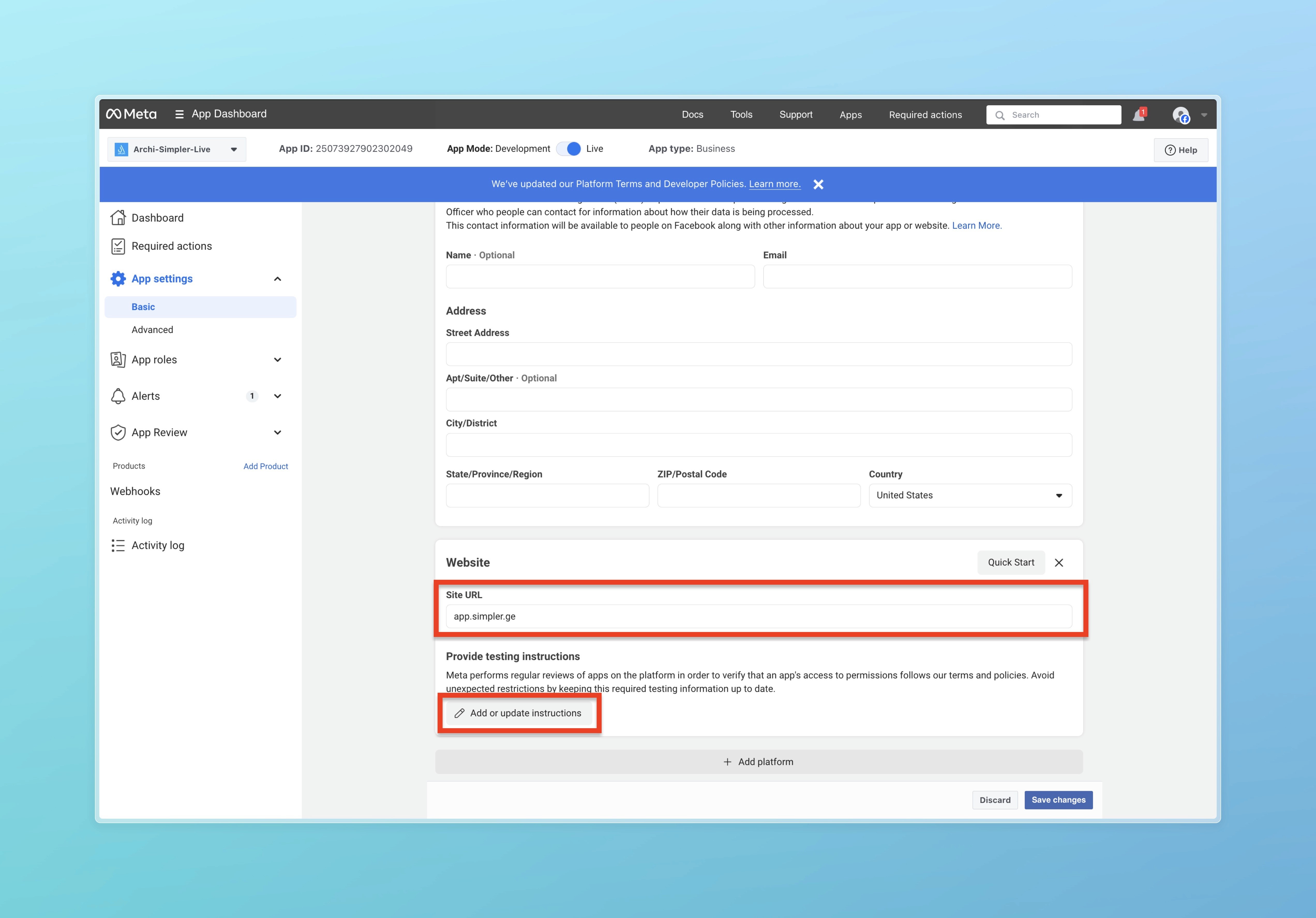
Site URL-ში მიუთითეთ https://app.simpler.ge და დააჭირეთ Add or update instructions.
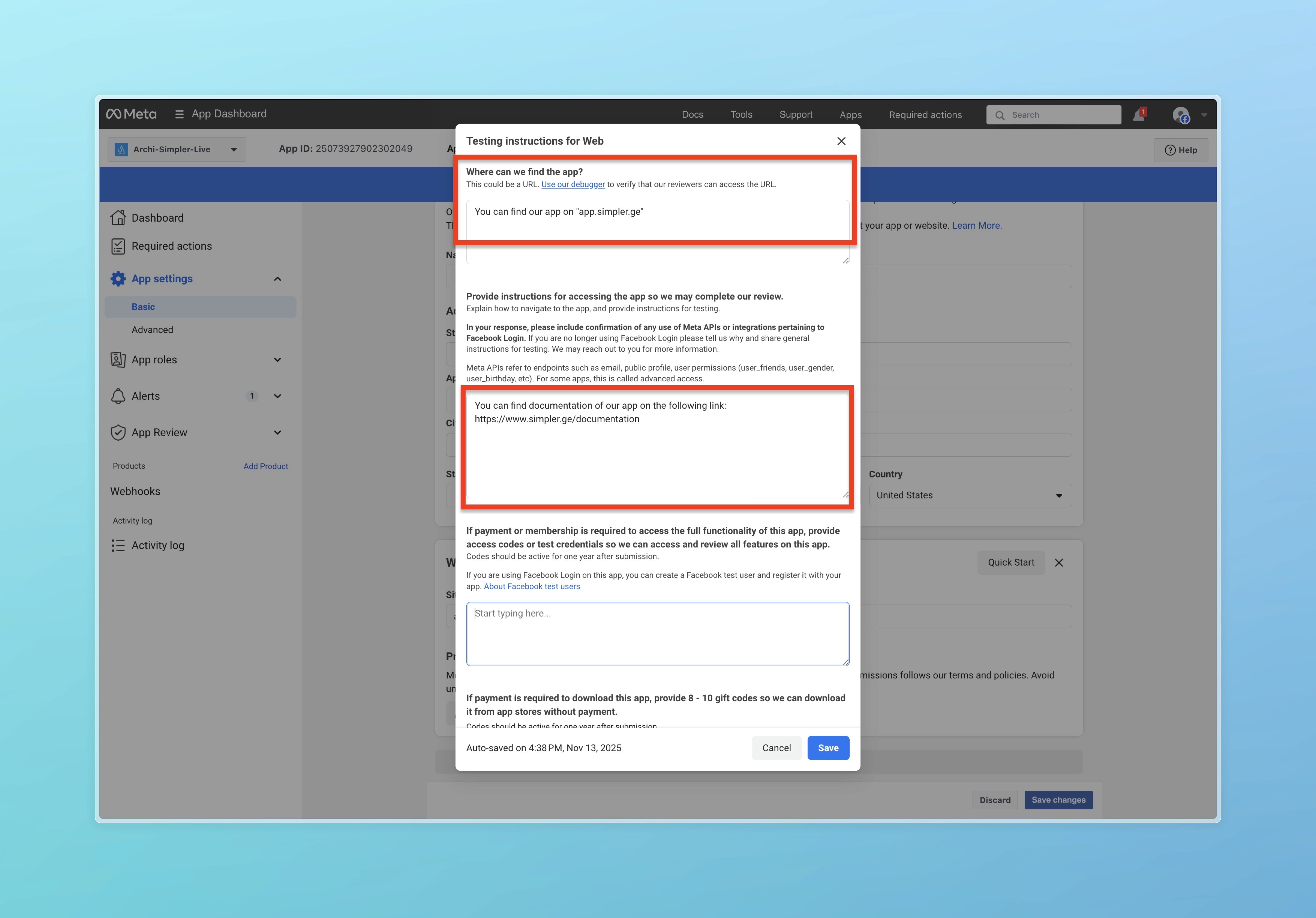
პირველ ტექსტურ ველში ჩაწერეთ "You can find our app on "app.simpler.ge", ხოლო მეორეში ჩაწერეთ "You can find documentation of our app on the following link: https://www.simpler.ge/documentation" და დააჭირეთ Save ღილაკს.
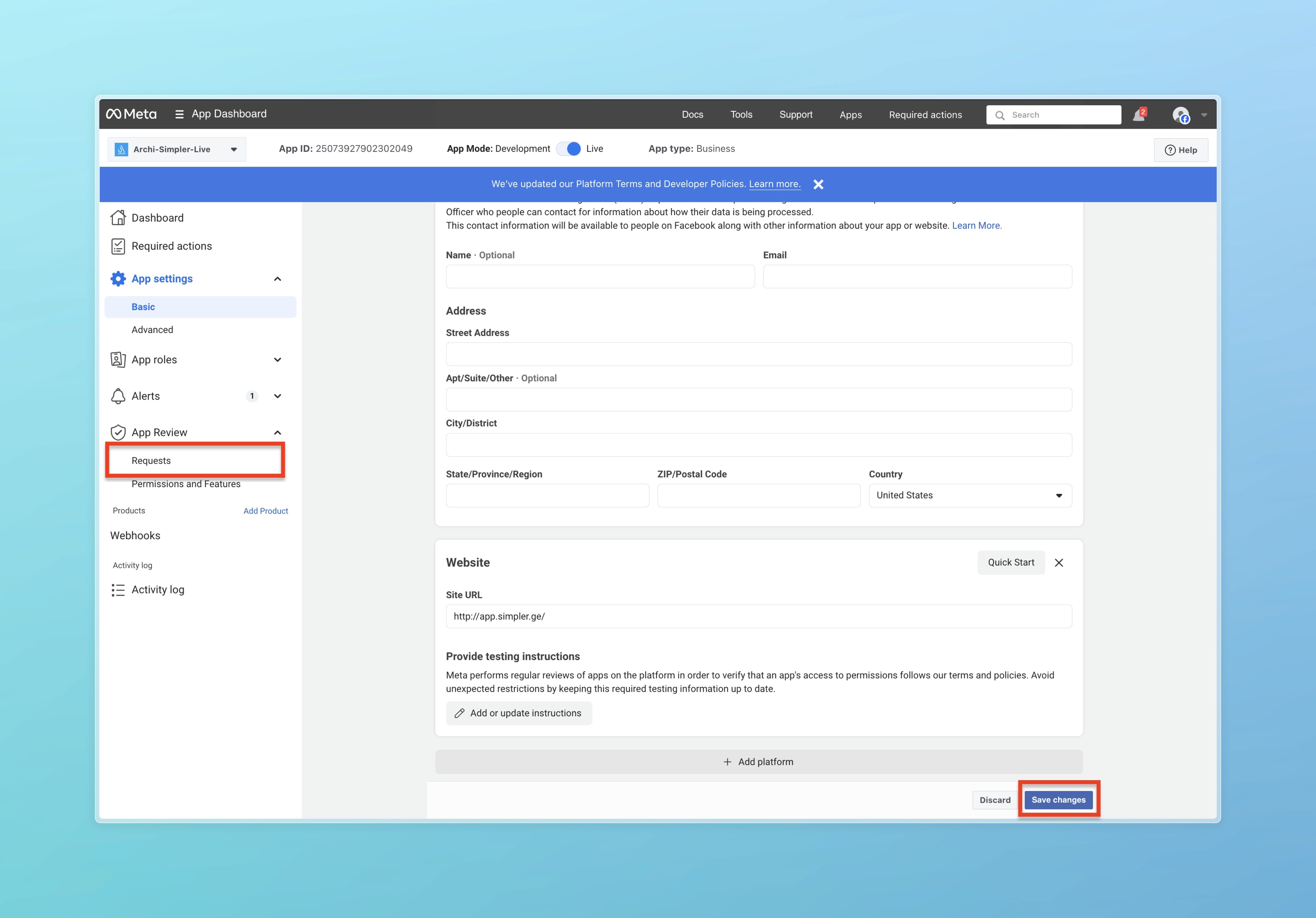
დააჭირეთ Save changes და შემდეგ დააჭირეთ Requests.
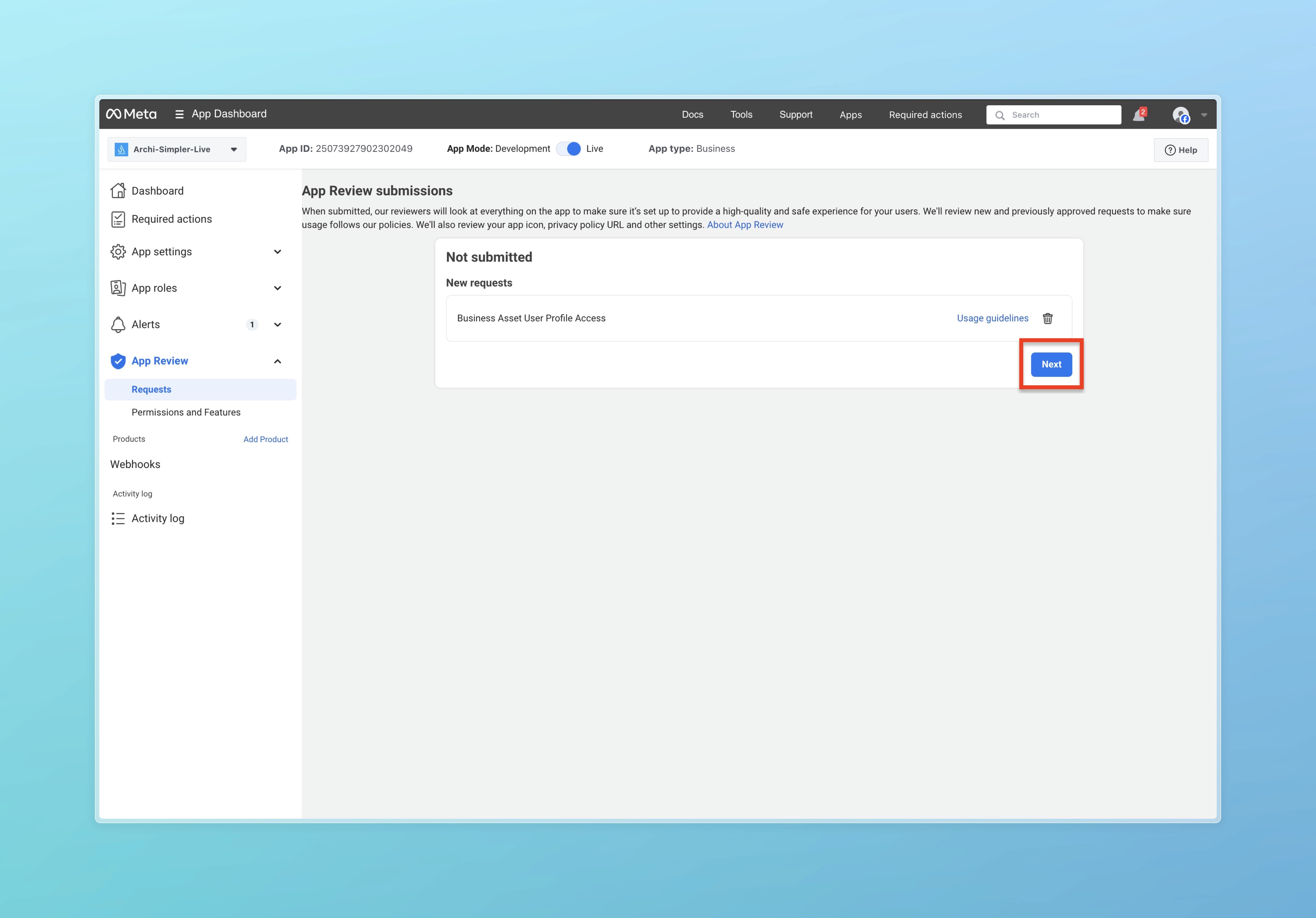
. დააჭირეთ Next.
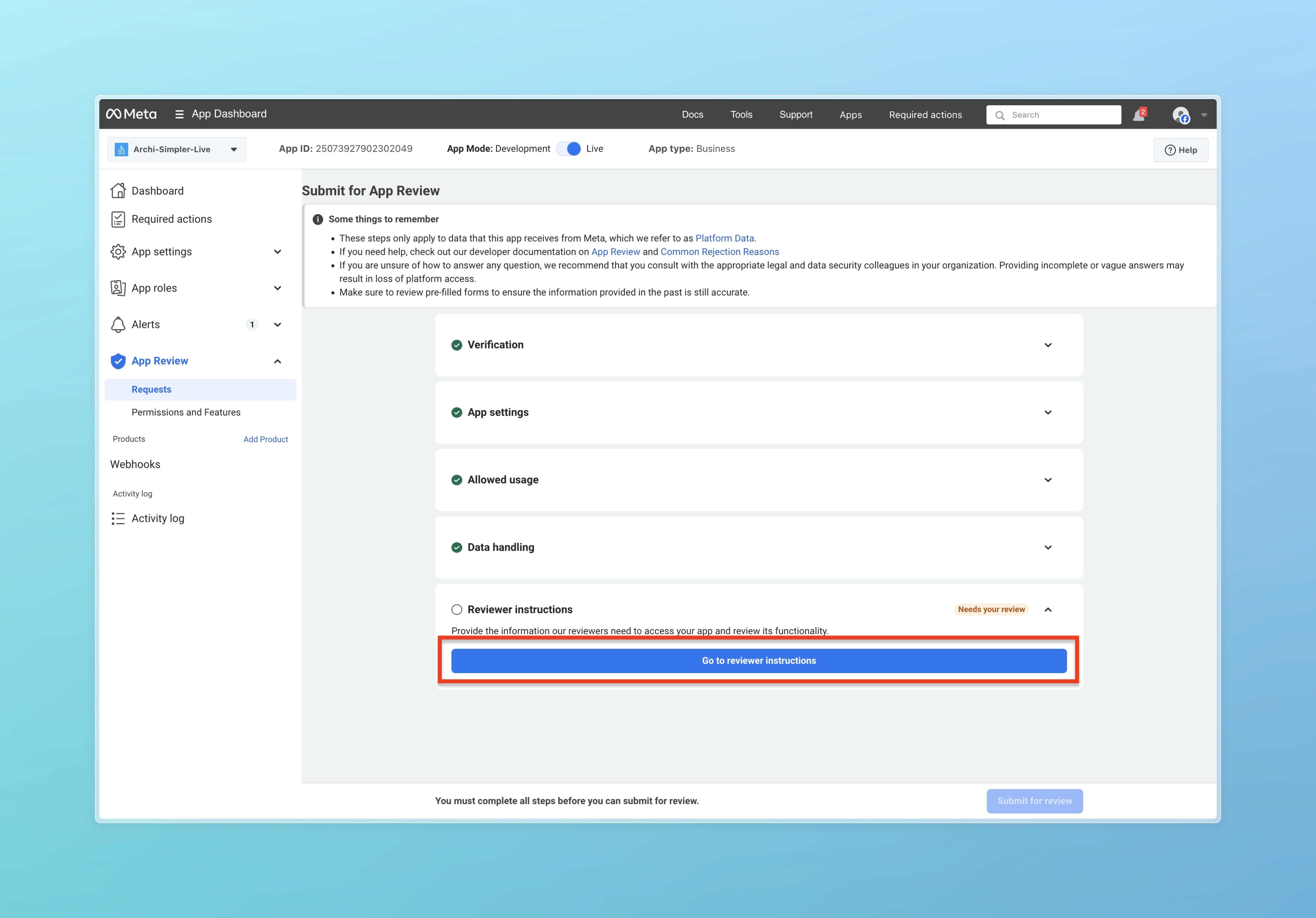
დააჭირეთ Go to reviewer instructions ღილაკს.
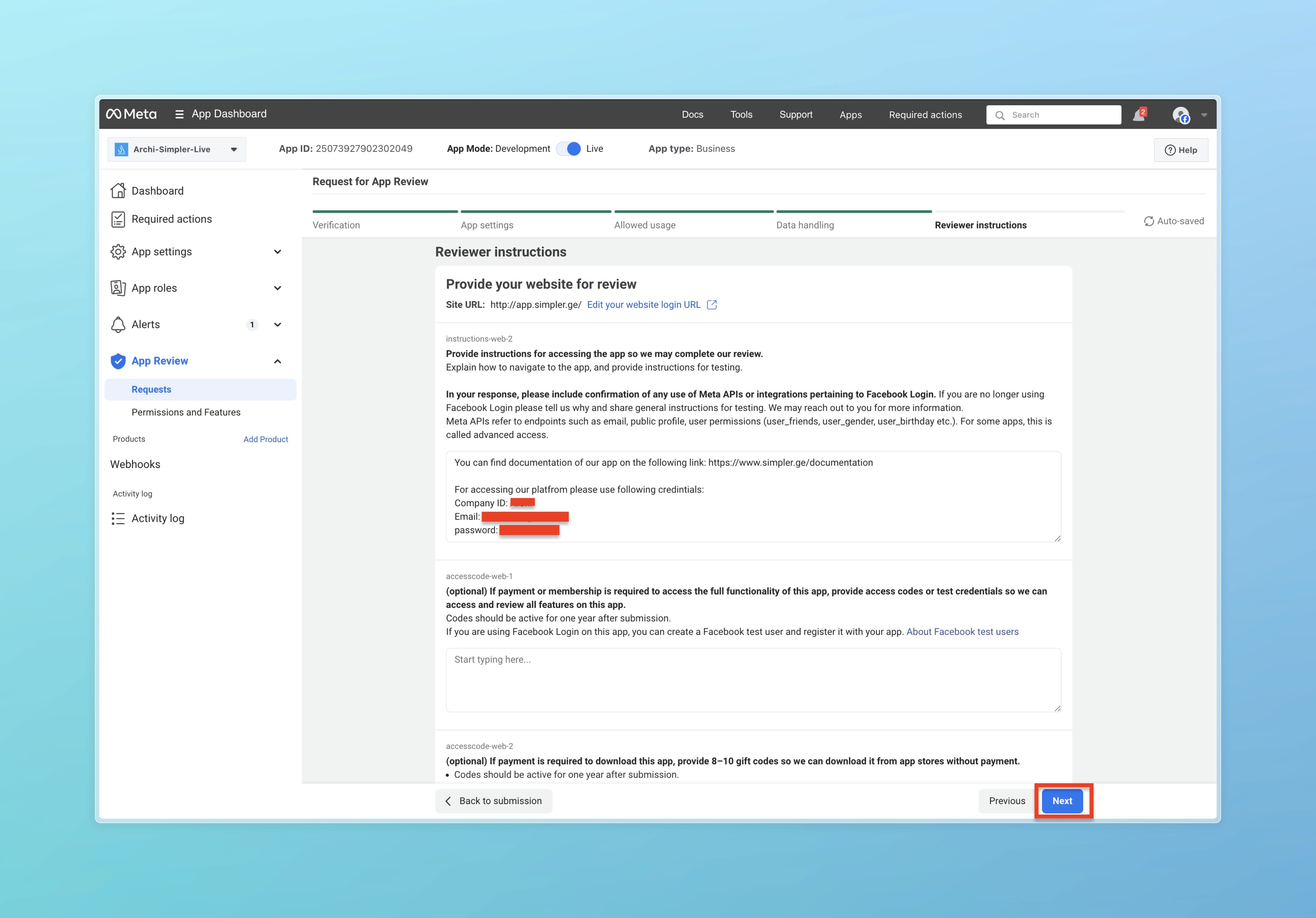
. დააჭირეთ Next ღილაკს.
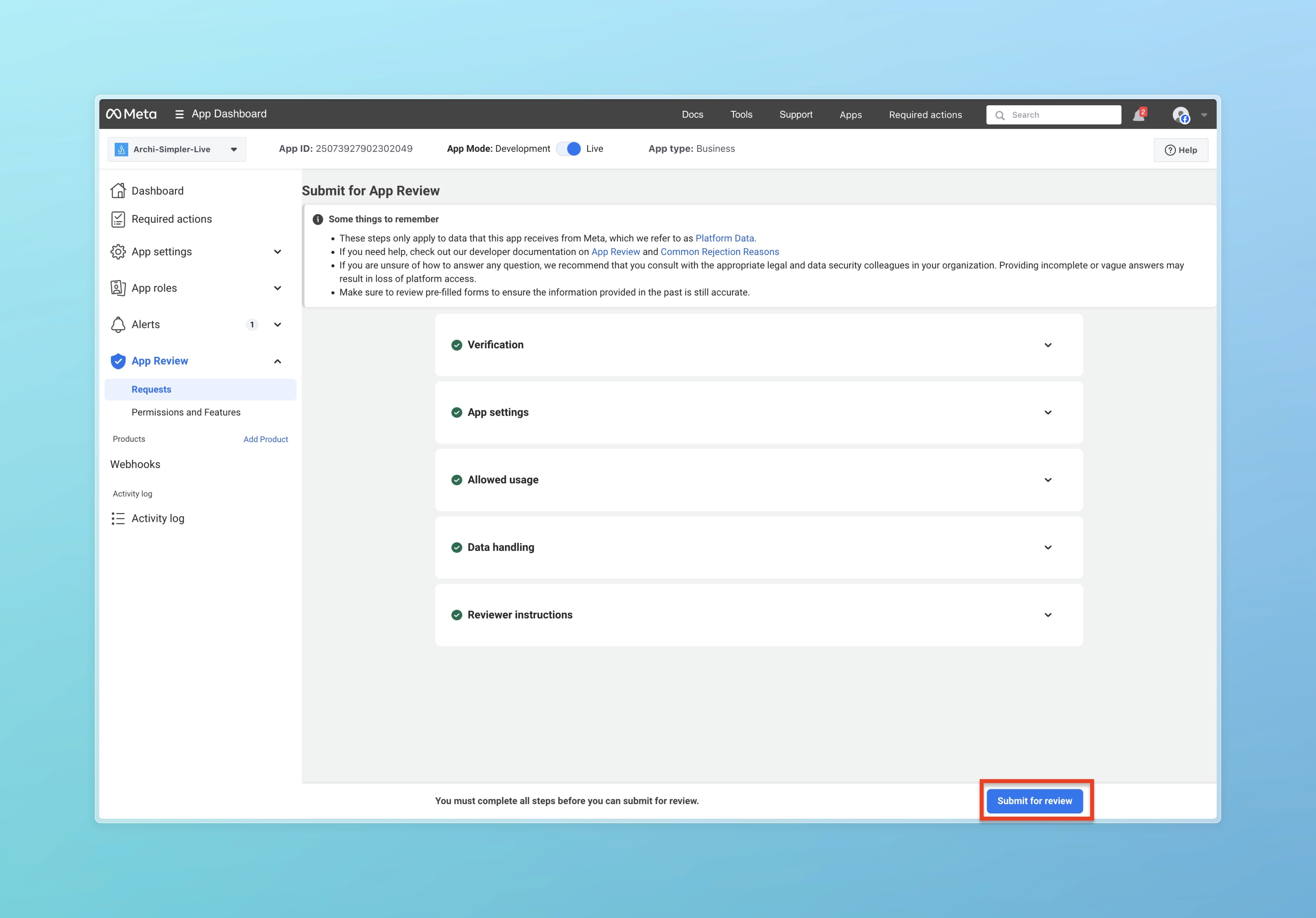
. დააჭირეთ Submit to review
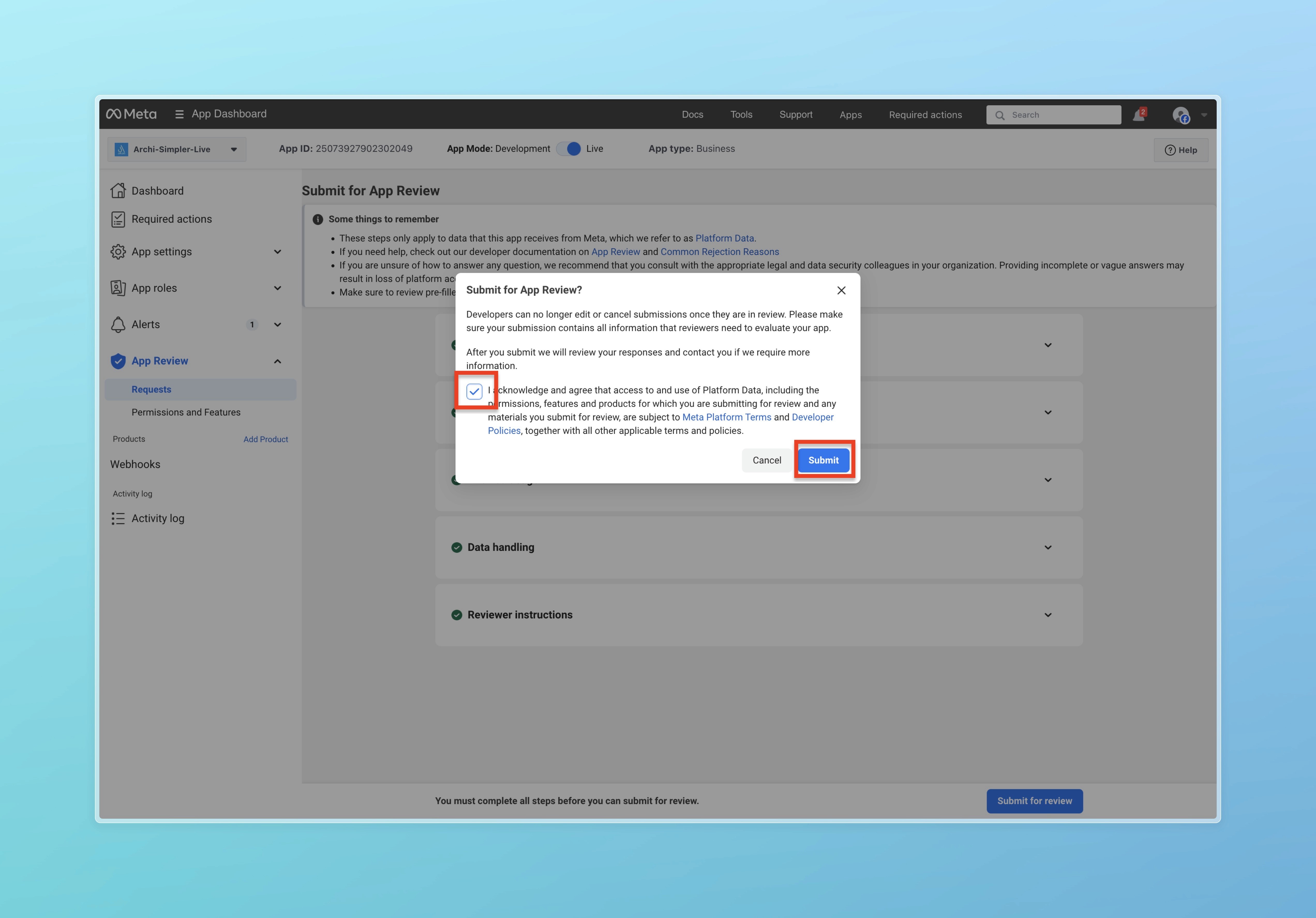
. შემდეგ დაეთანხმეთ პირობას და დააჭირეთ Submit ღილაკს.
მოგვწერეთ Whatsapp-ზე +995 599 100 987
ან მეილზე: info@simpler.ge